LEASH LEAGUE™For the business of dogs

One day with Leash League

One day. Every part of your business, in one app.

Follow a dog service business from the first coffee to the overnight stay. The schedule, your walkers, your clients, your website and your money, all working together.

Start the day ↓
  1. 10:04PM
  2. 6:45AM
  3. 7:30AM
  4. 12:00PM
  5. 2:10PM
  6. 3:00PM
  7. 4:15PM
  8. 4:45PM
  9. 5:30PM
  10. 6:00PM
  11. 9:30PM

10:04PM

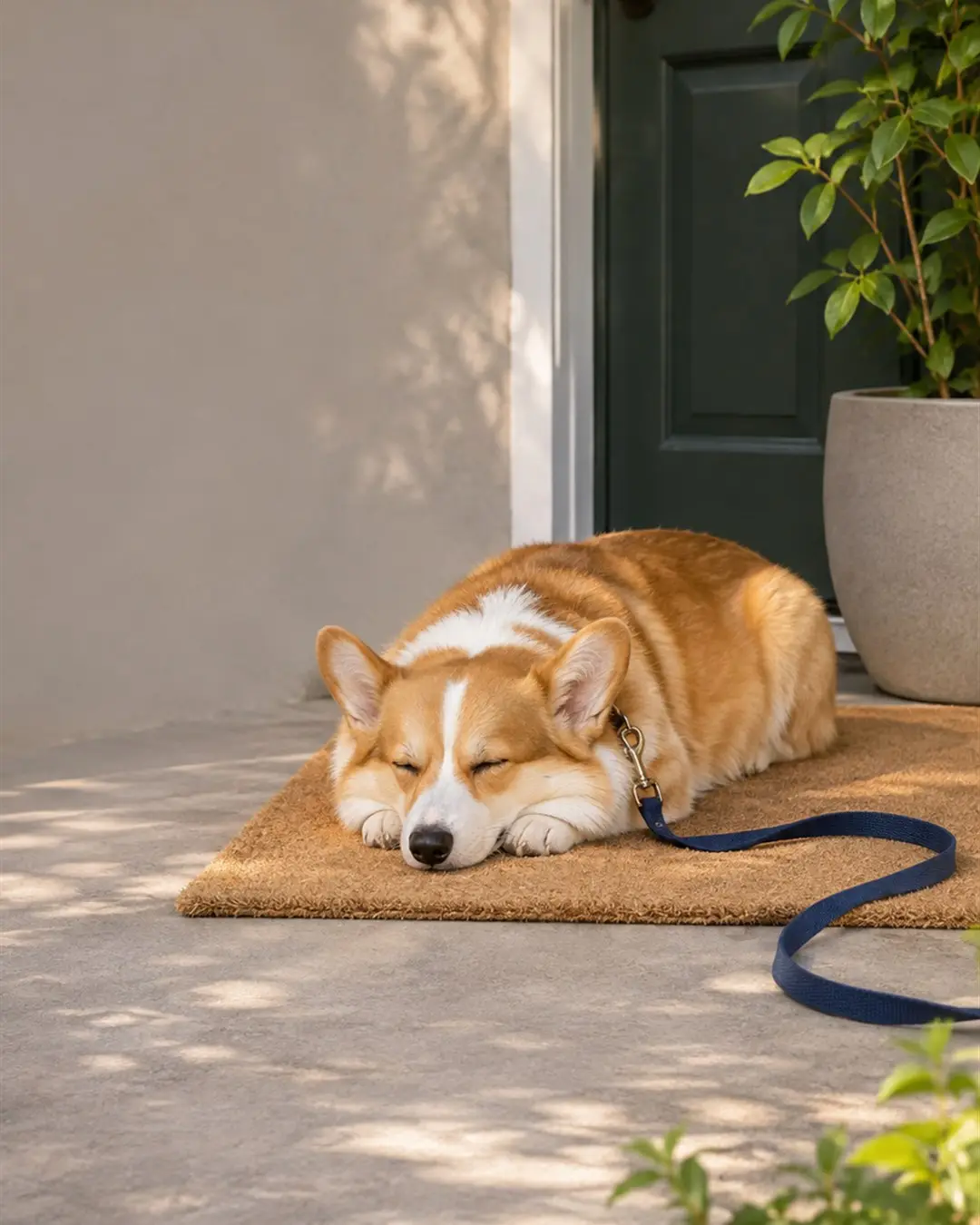
A Corgi asleep in a perfect loaf on a doormat with its leash still clipped on.

The night before · Smart Texting

The text you’d usually answer in bed.

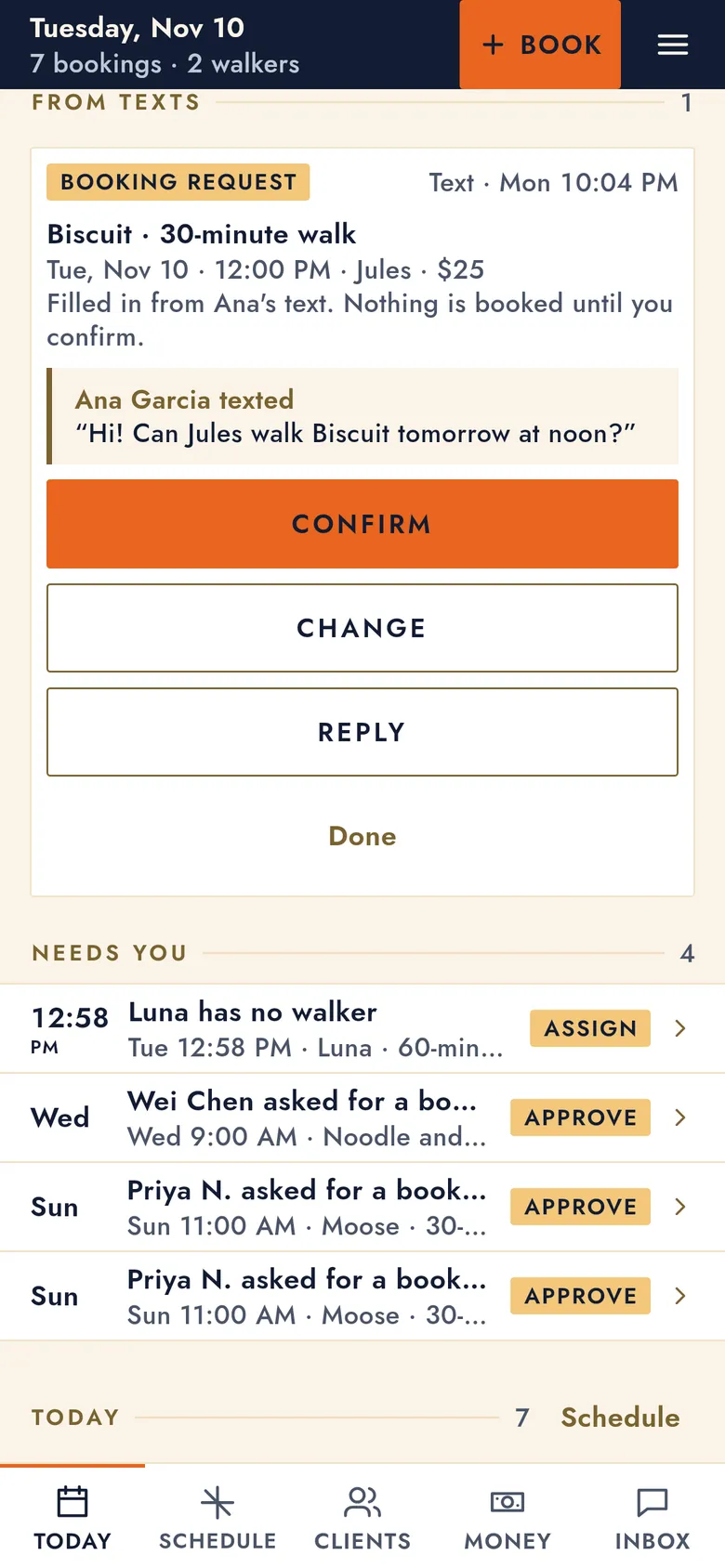
Ana texts your business number: “Hi! Can Jules walk Biscuit tomorrow at noon?” Ana didn’t want to open an app at 10 PM. She just texted, and that’s all it took. You don’t have to answer tonight. It is already waiting in the app as a booking card, with the dog, the walker, the day and the time filled in. Nothing is booked until you tap Confirm.

Meanwhile, AnaAna gets one short text back so she knows it arrived, and it respects her quiet hours.
How Smart Texting works →
Maple Street Dog Co.Your walker's business number

Mon 10:04 PM

Hi! Can Jules walk Biscuit tomorrow at noon?

Maple Street Dog Co.: we got your request for Biscuit's 30-minute walk on Tuesday, Nov 10 at 12 PM. We will answer soon.

Ana’s texts

The owner's Today screen with a booking request card made from the text: Biscuit, 30-minute walk, Tuesday at noon with Jules, and Confirm, Change and Reply buttons

Your app

6:45AM

Boston Terrier booping its nose against an alarm clock that wears the Leash League crest.

Coffee · The app

Your day, already planned.

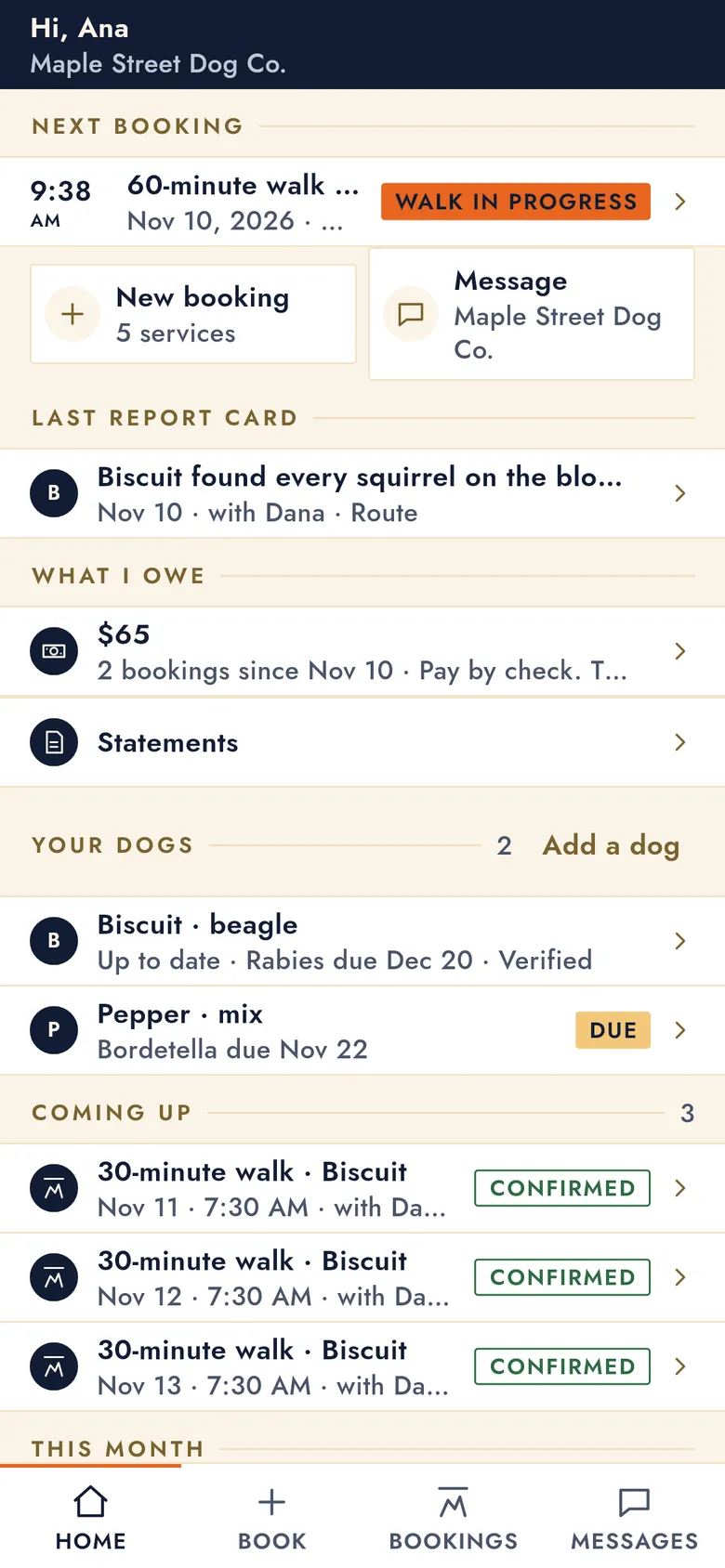
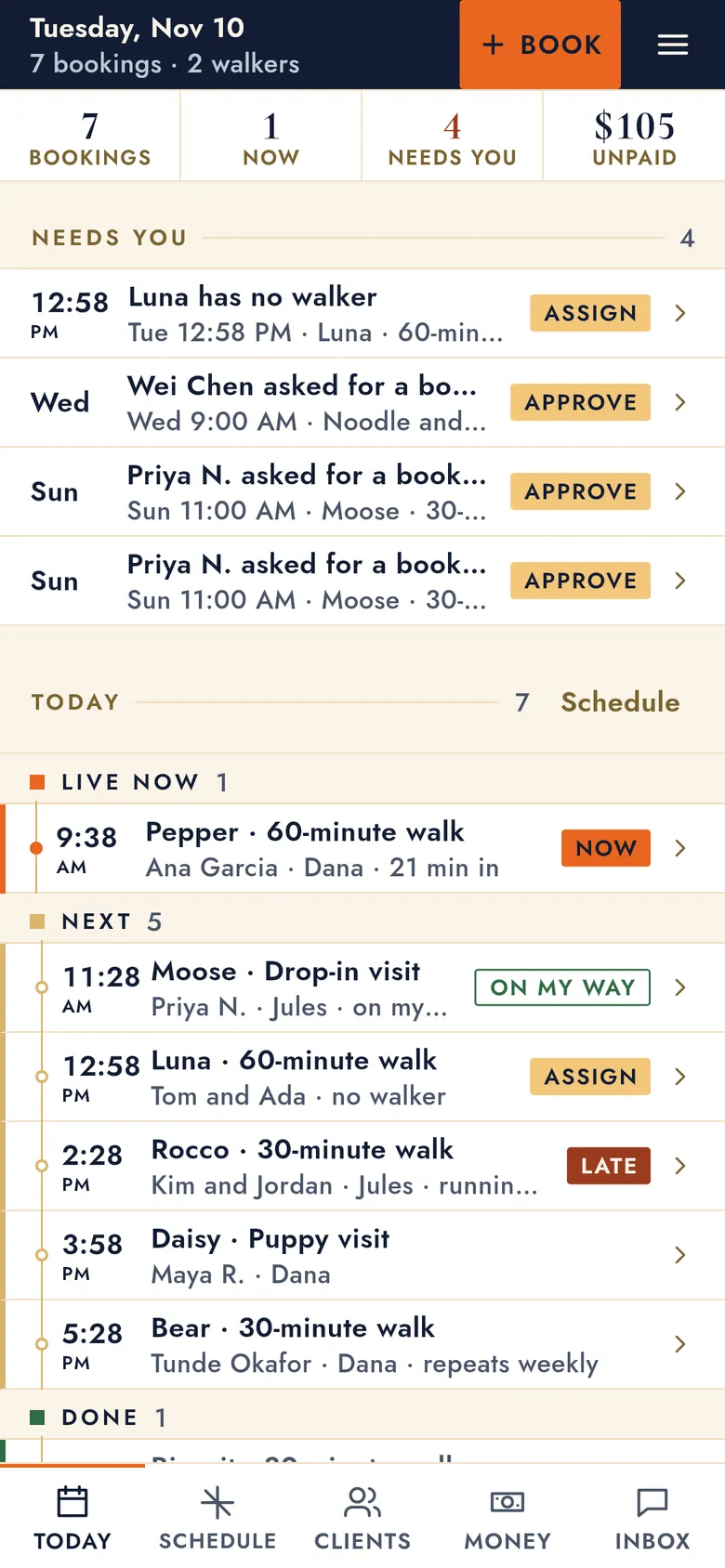
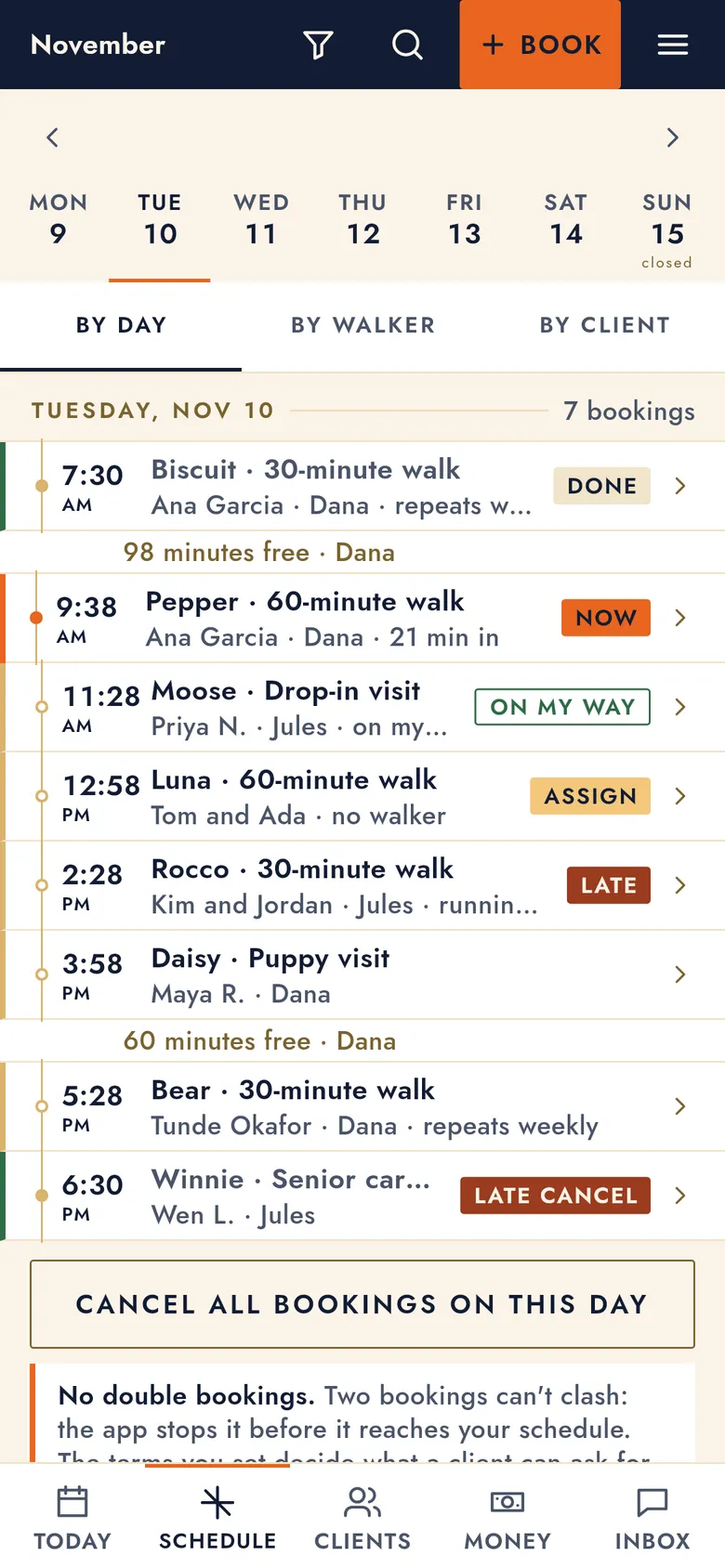
Coffee, one screen. Today shows every walk, who is walking it and anything that needs you. You check Ana’s card and tap Confirm. Biscuit is on the schedule.

Meanwhile, AnaAna hears back when it’s confirmed.
The dog owner's Home tab with the next walk and last report card
Schedule and team →
The owner's Today screen: what needs you, who is out now and what is next
The Schedule screen: every walk and walker for the week

7:30AM

A polished brass and chrome coach's whistle on a red lanyard against a deep navy background.

Your team · The walker app

Your team knows where to be.

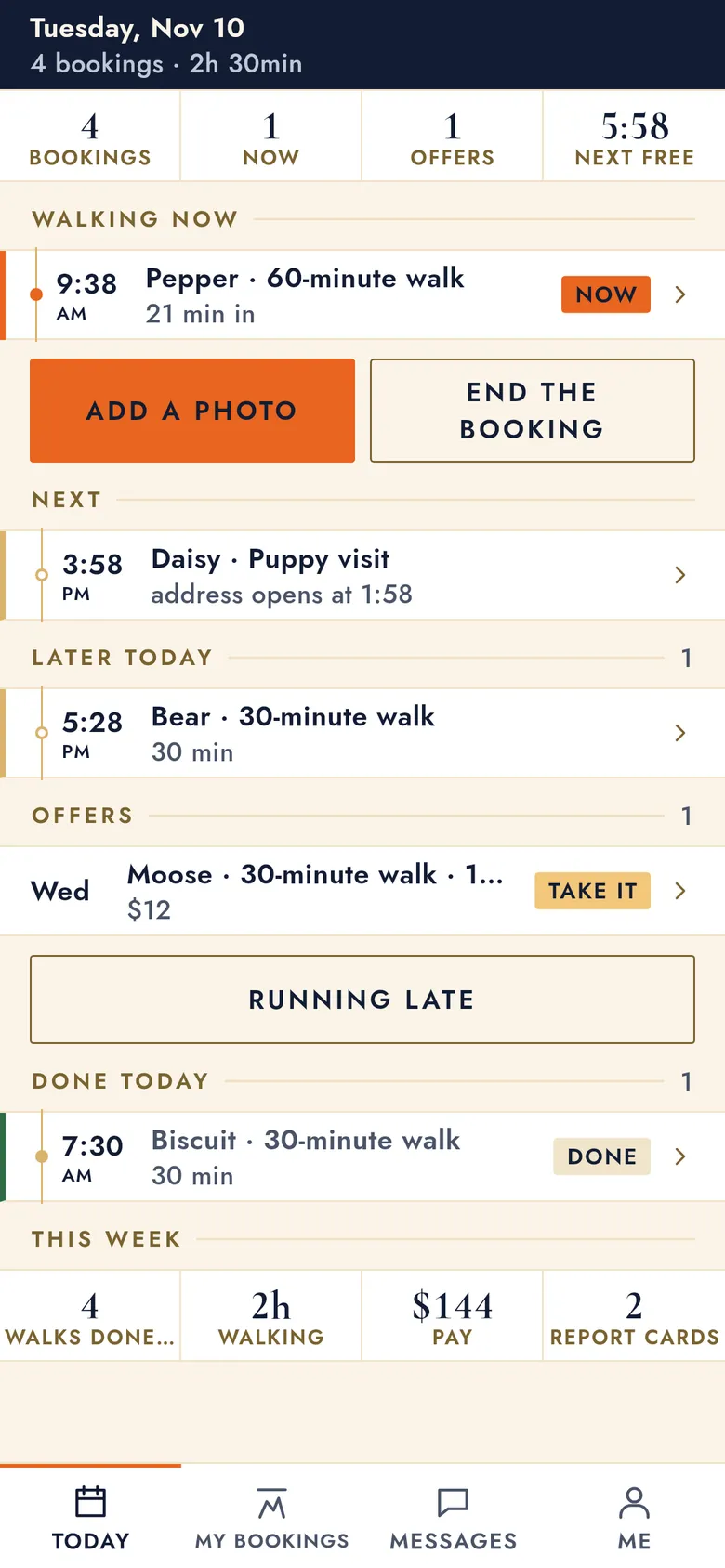
Jules opens the walker app and sees their walks for the day, plus any walk you offer them, and nothing else. No group chat, no screenshots of a spreadsheet.

Running a team →
The walker’s Today screen with the walk in progress and Daisy’s puppy visit next
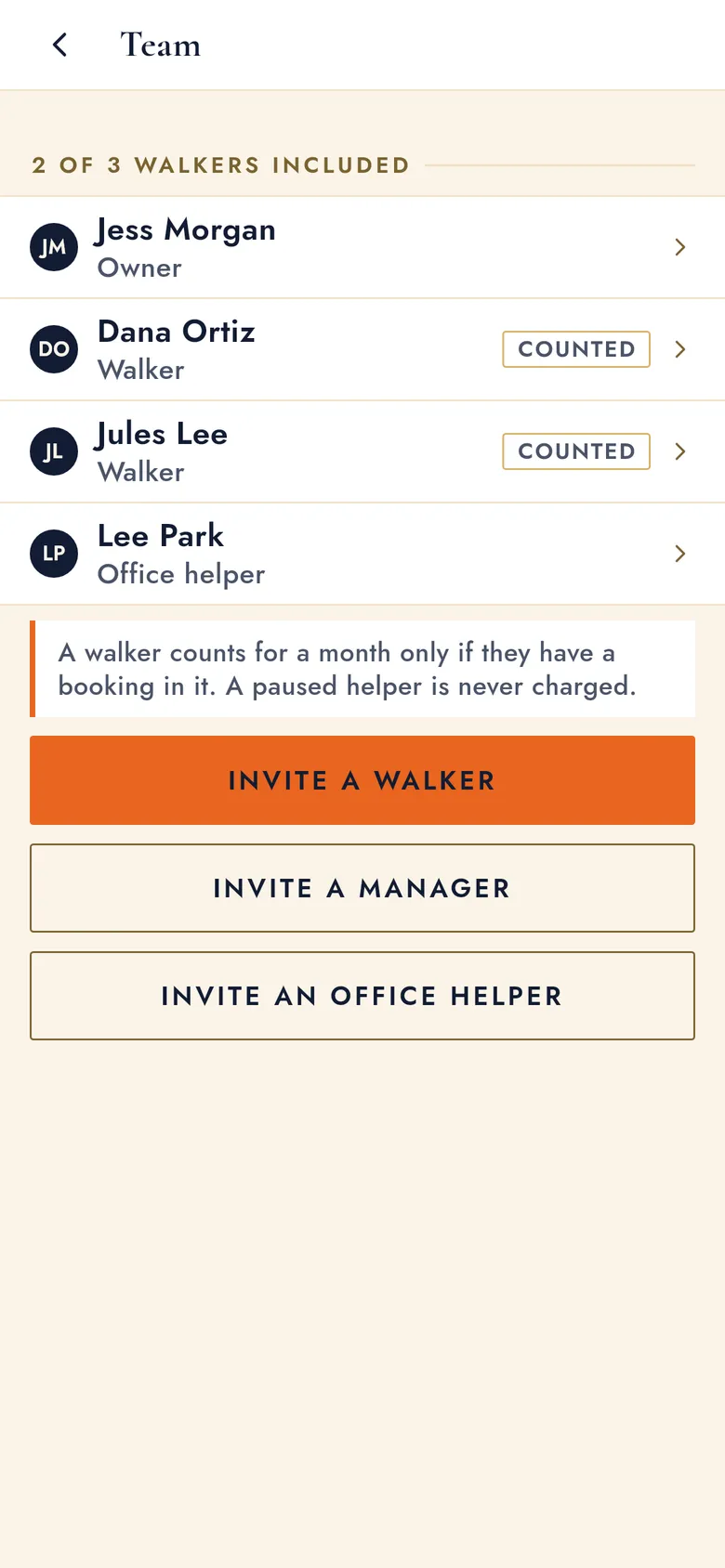
The Team list in the owner’s app: walkers, an office helper and the invite buttons

12:00PM

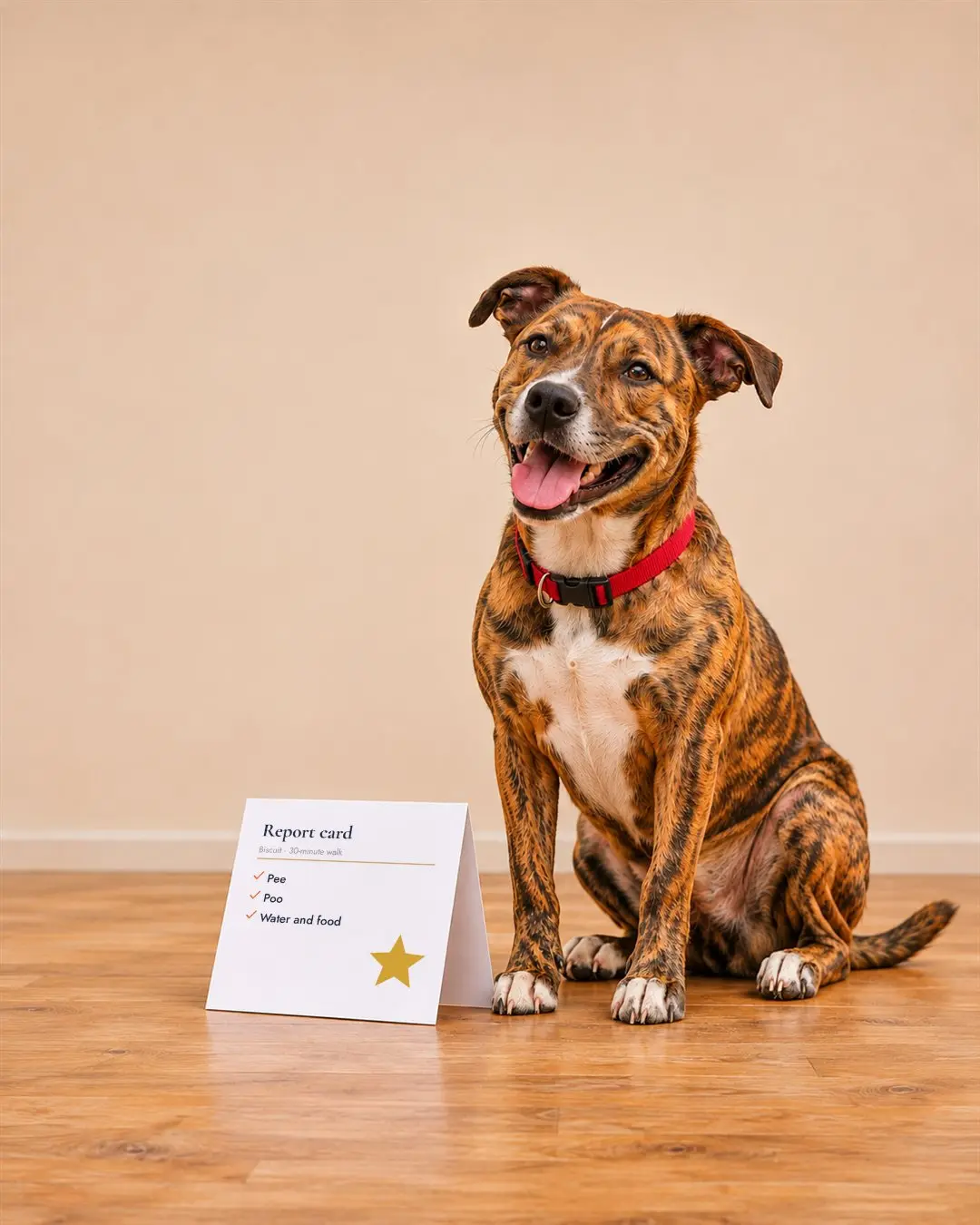
Brindle rescue dog sitting proudly beside a report card with a gold star sticker.

The walk · Report cards

Start. Walk. A note, a photo. End.

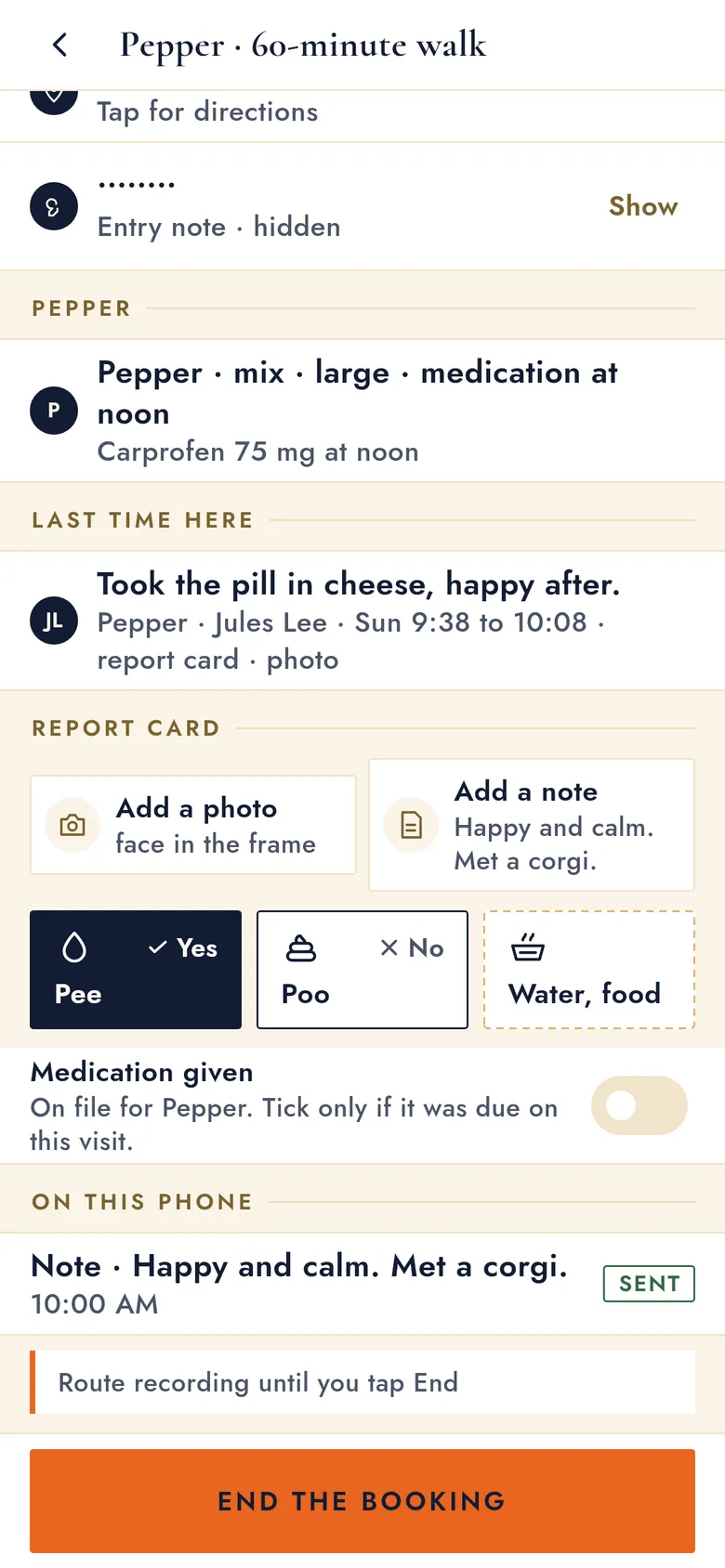
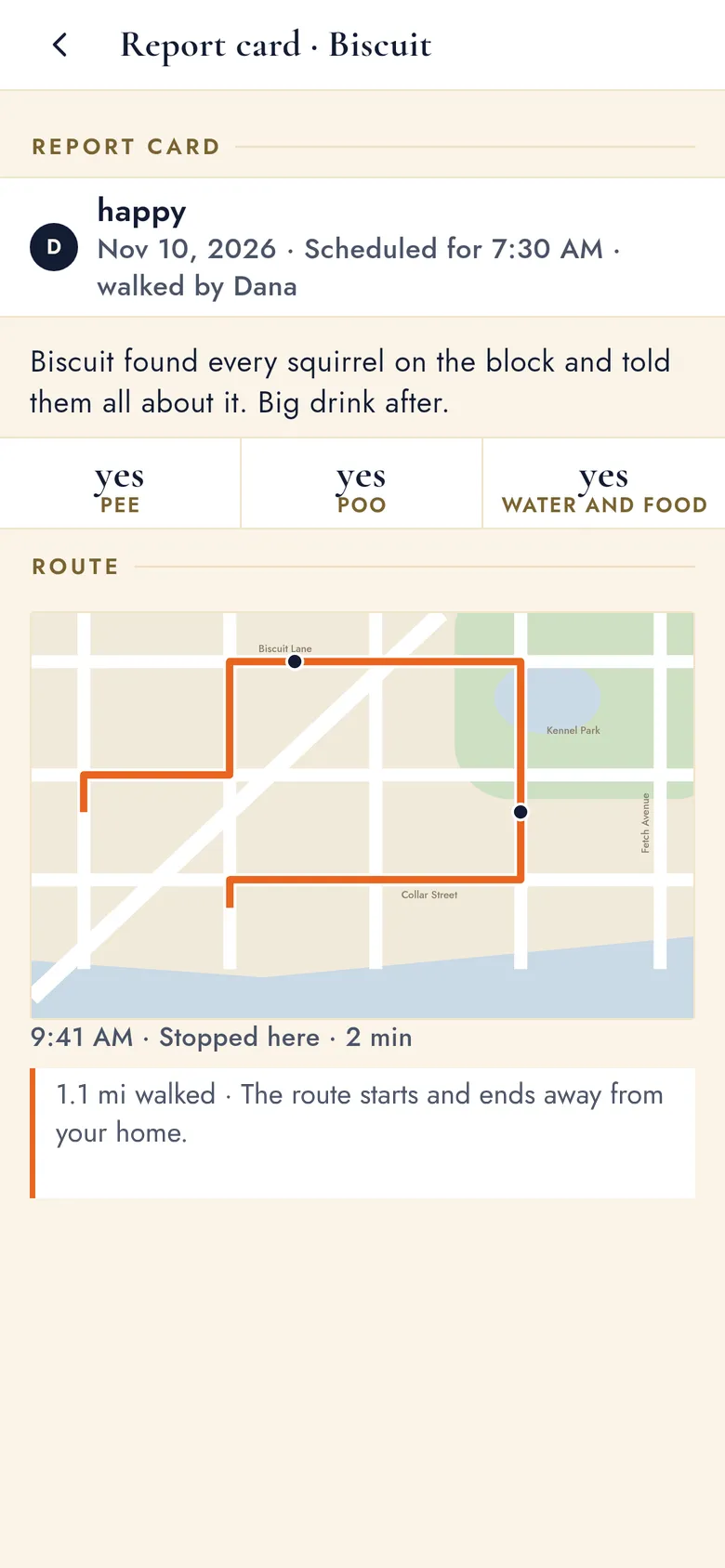
Jules taps Start, walks Biscuit, adds a note and a photo, and taps End. That’s it. Then the moment clients love: the report card is on Ana’s phone, with Jules’s note and Biscuit’s photo.

Meanwhile, AnaA report card after every walk. This is the part clients tell their friends about.
Walks and report cards →
The walk screen with the note marked Sent and the Pee, Poo and Water and food ticks
A report card in the client's view with a photo, the times and a map of the walk

2:10PM

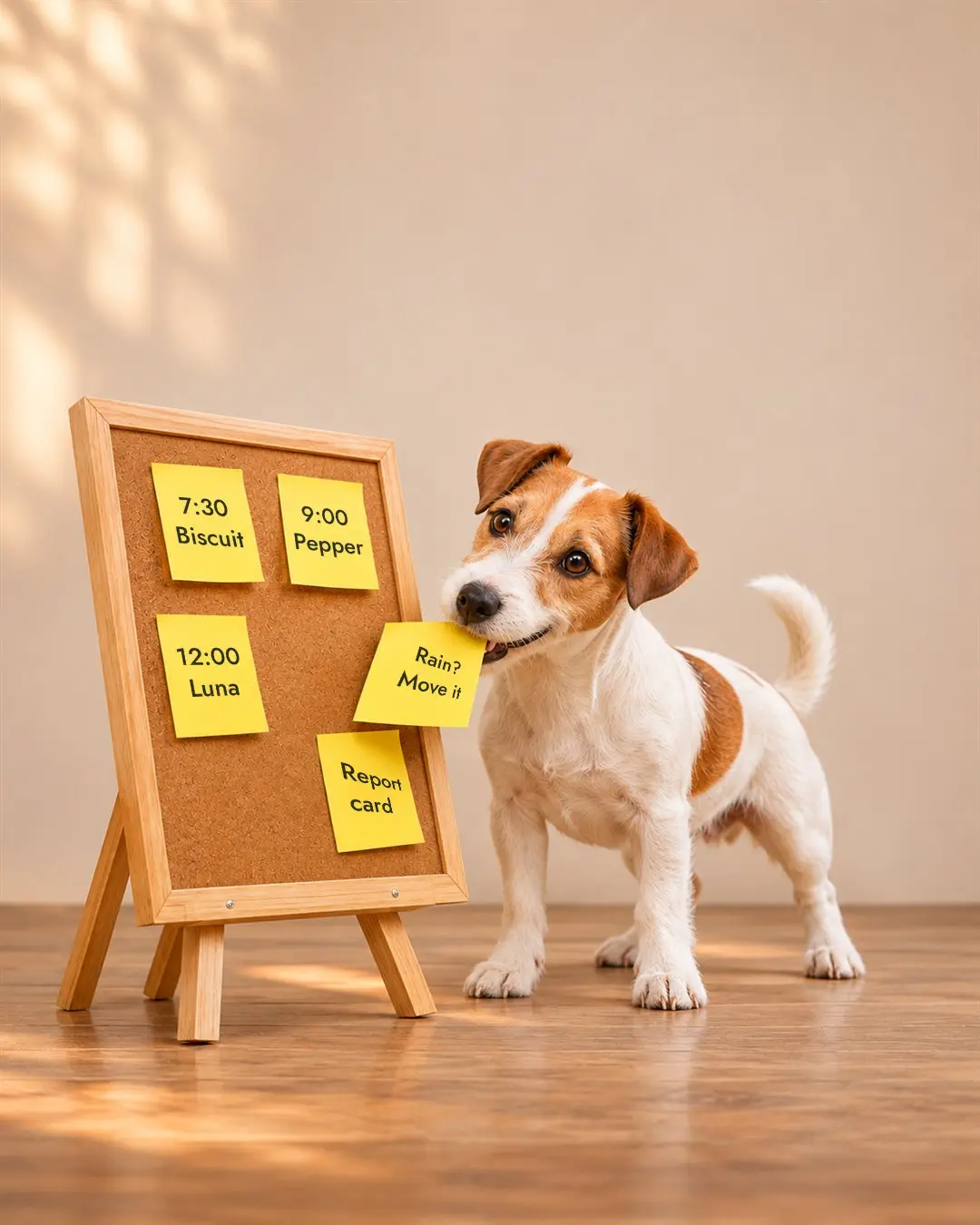
Jack Russell Terrier moving a sticky note that says Rain? Move it on a cork board of walks.

A change of plans · Smart Texting

A change of plans, handled.

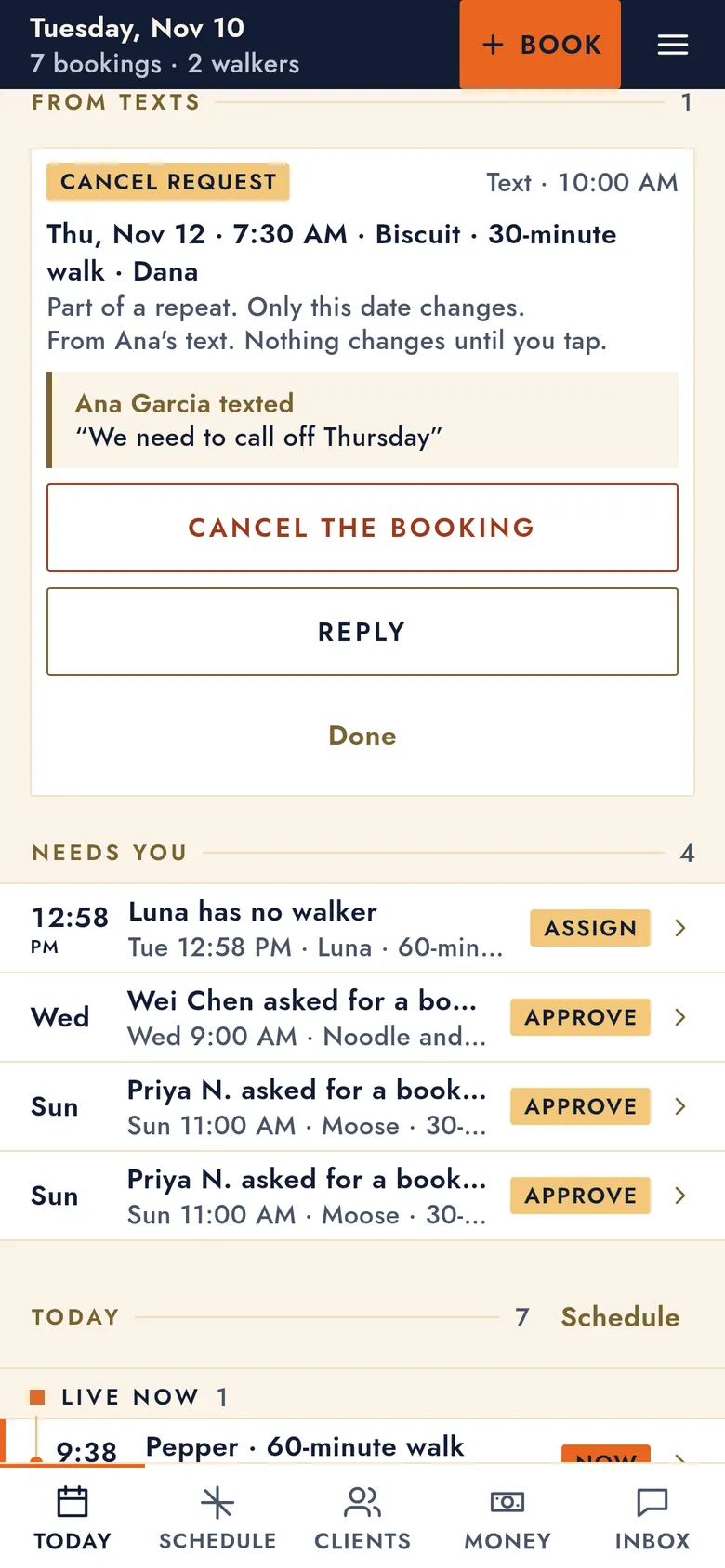
Another client texts that they need to call off tomorrow. It becomes a card too, showing the walk it means. Nothing changes until you tap, and then the schedule is right. Running group walks? When a dog leaves a full group, one Today card shows who is first on the waitlist, and one tap gives them the spot.

How Smart Texting works →

We need to call off Thursday.

A client’s text
A cancel request from a text, waiting for the business to tap

3:00PM

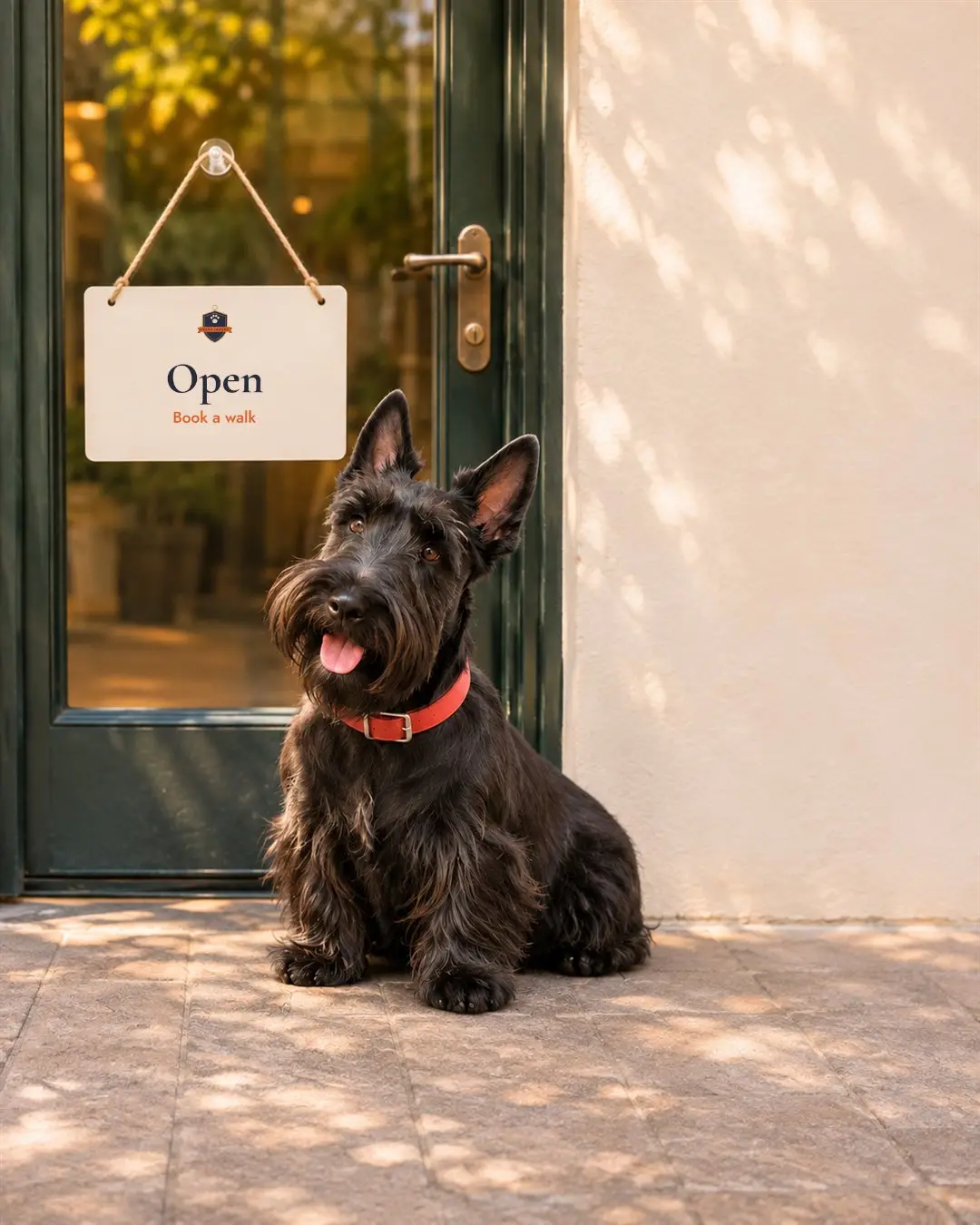
Scottish Terrier sitting below an Open sign that says Book a walk on a shop door.

Growth · Your website

A new neighbor finds you.

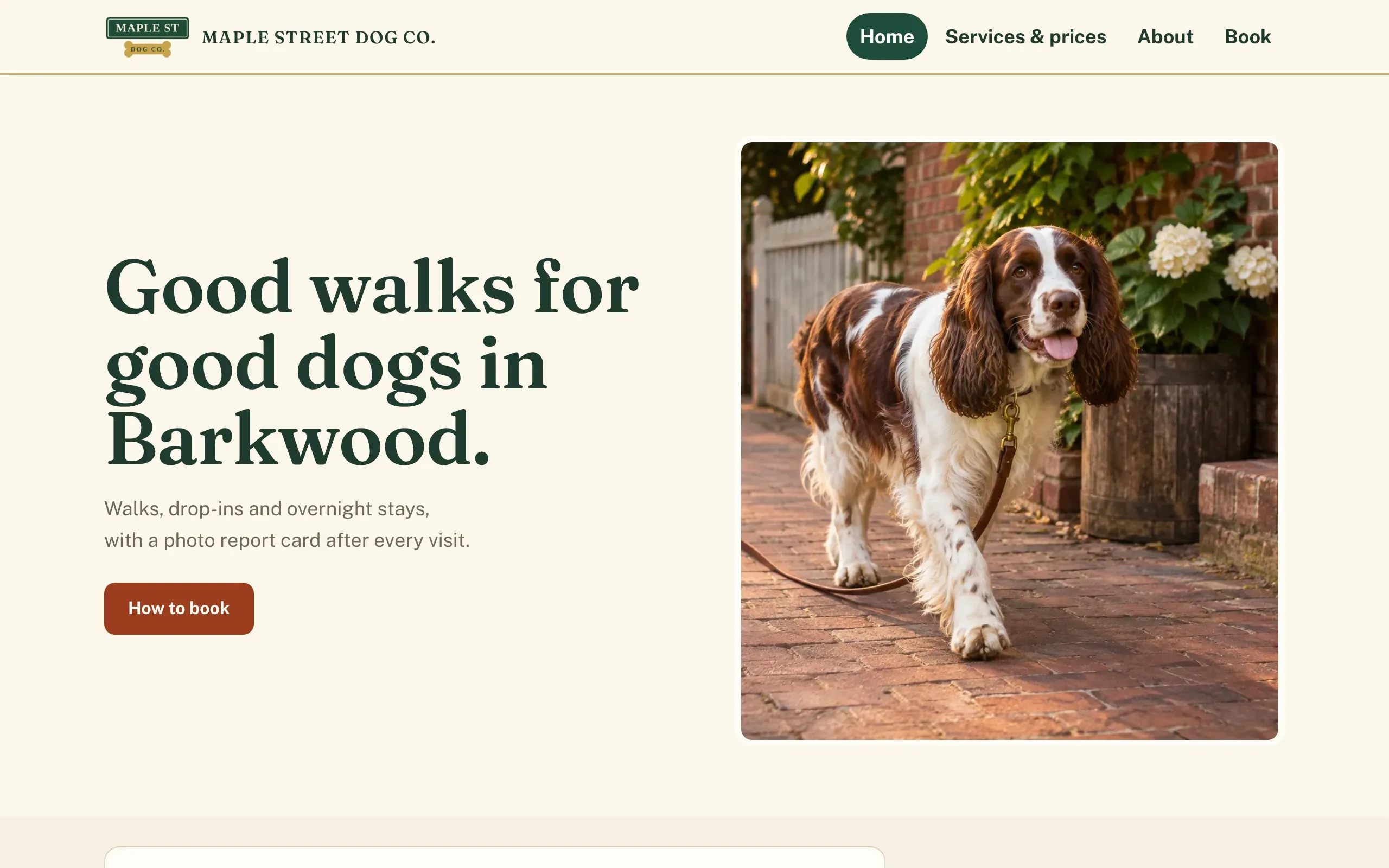
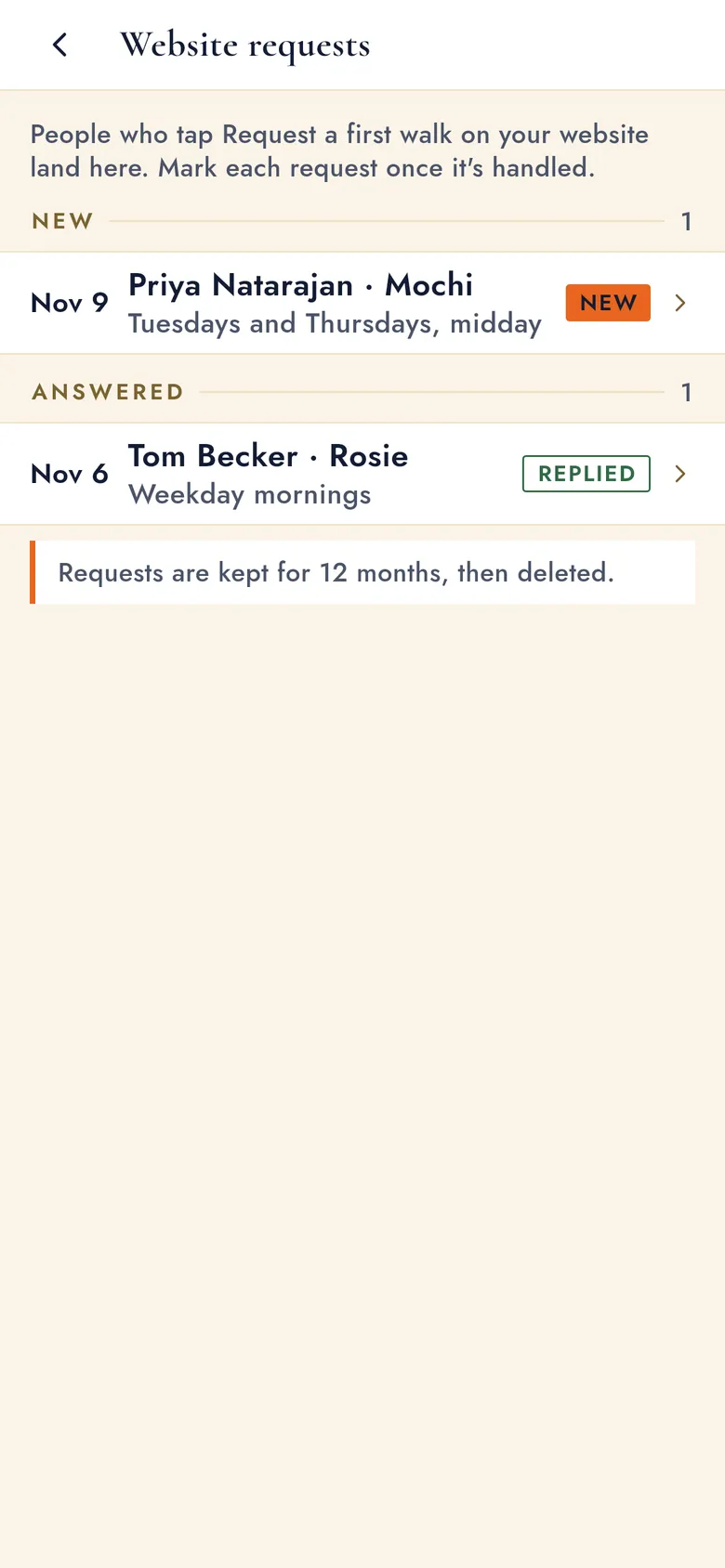
Someone two streets over searches for a dog walker and finds your website: your name, your colors, your services and prices, filled in from the app. They ask for a walk on your Book page, and the request lands in your app. One tap adds them as a client with their dog, and copies their invite link to send them.

Meanwhile, AnaYour new client meets your business, not a marketplace.
Your website, start to live →
maple-street-dogs.leashleague.com A made-up business website in the Classic look
Website requests in the owner app: a new request from the Book page

4:15PM

Cocker Spaniel posing for a portrait against a plain warm backdrop.

Marketing · Share a postnew

Your marketing, made for you.

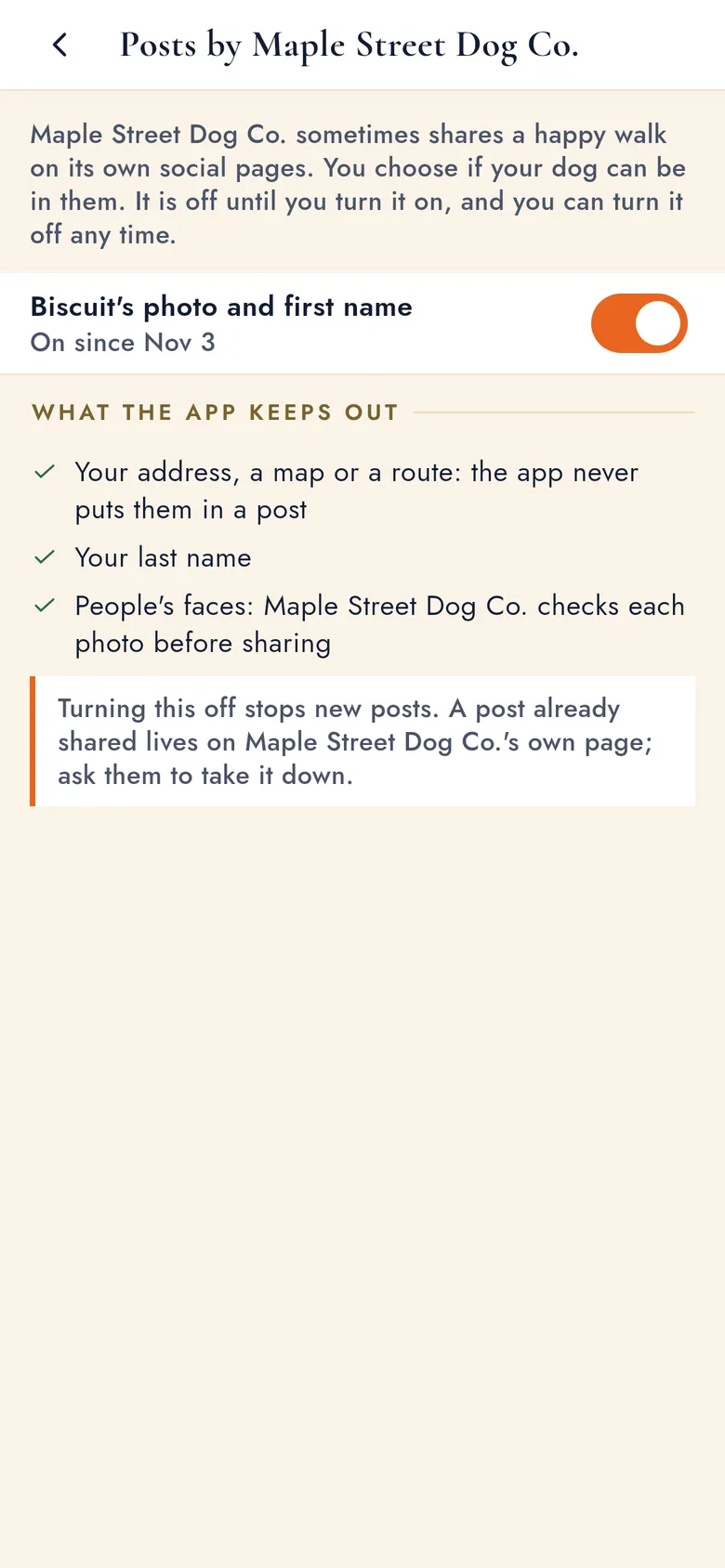
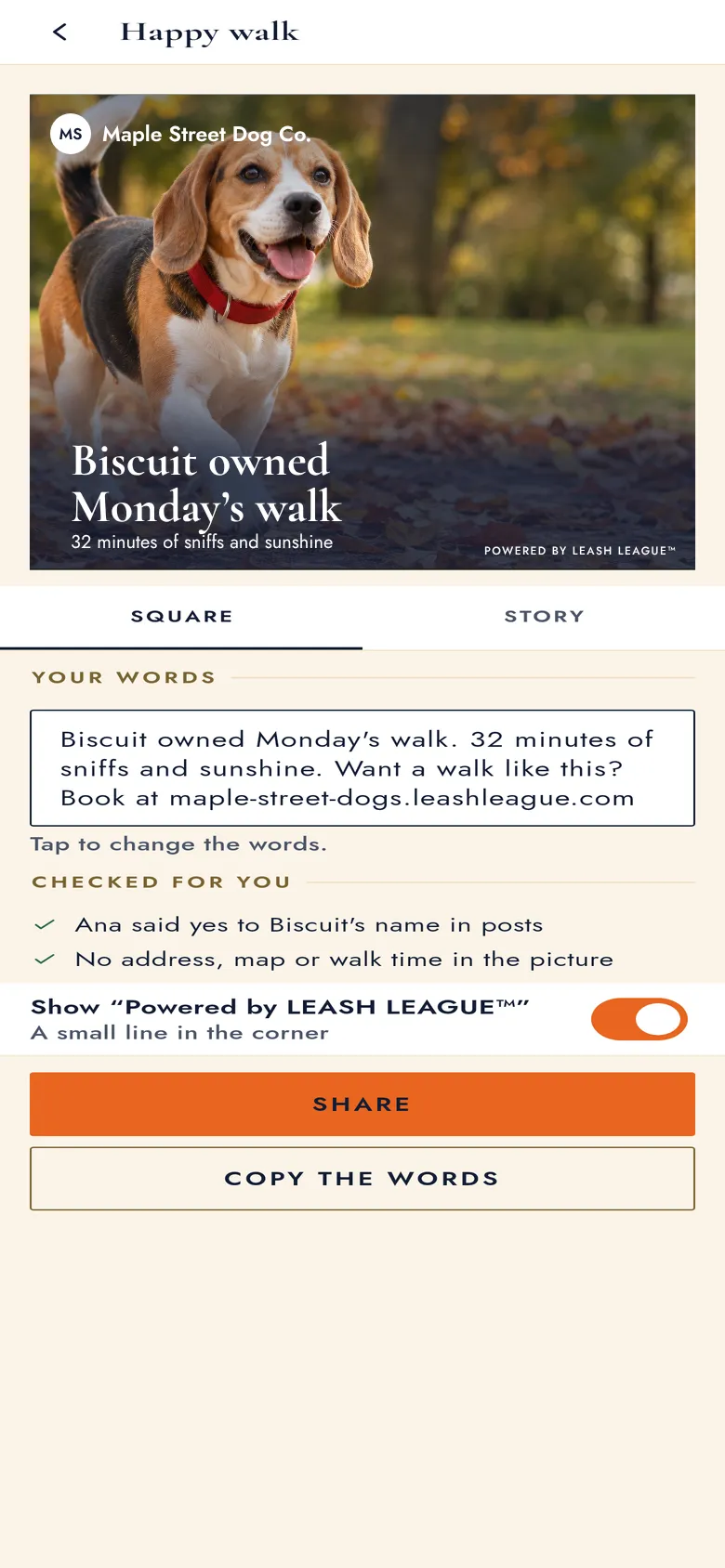
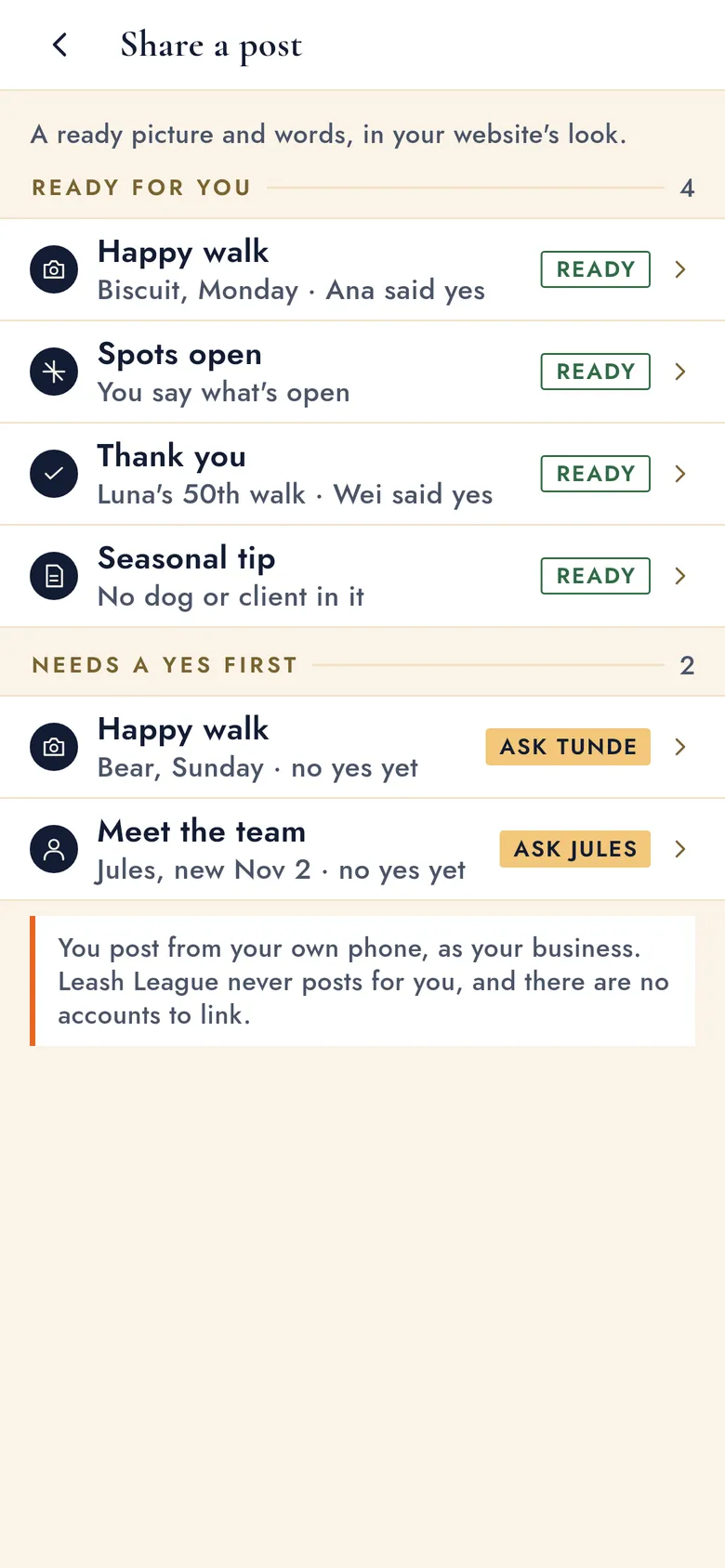
Biscuit’s walk would make a great post. Share a post has it ready: the picture and the words, in your website’s look. Ana said yes to sharing Biscuit’s photo, and the photo’s location is removed. Change the words if you like, tap Share, and post it from your own phone as your business. It makes Spots open, Thank you, Seasonal tip and Meet the team posts the same way, in square or story size.

Meanwhile, AnaAna chose yes in her own app, and she can turn it off any time.
The client choosing whether a walk photo can be shared
A shareable post prepared from a finished walk
A walk post for the owner to review before sharing

4:45PM

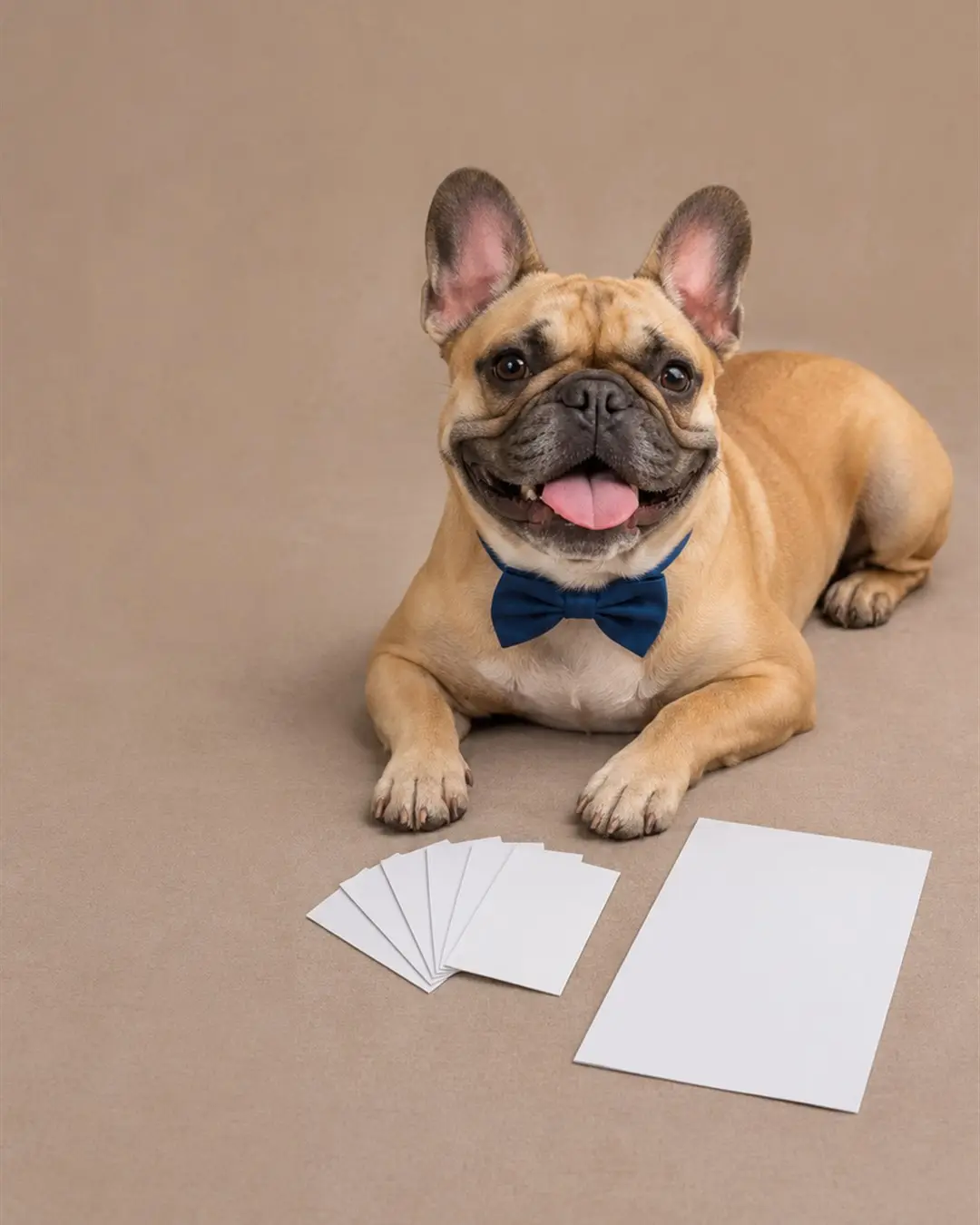
A French Bulldog in a blue bow tie lying beside blank business cards and a blank flyer.

Out and about · Print kit

Ready for the neighborhood.

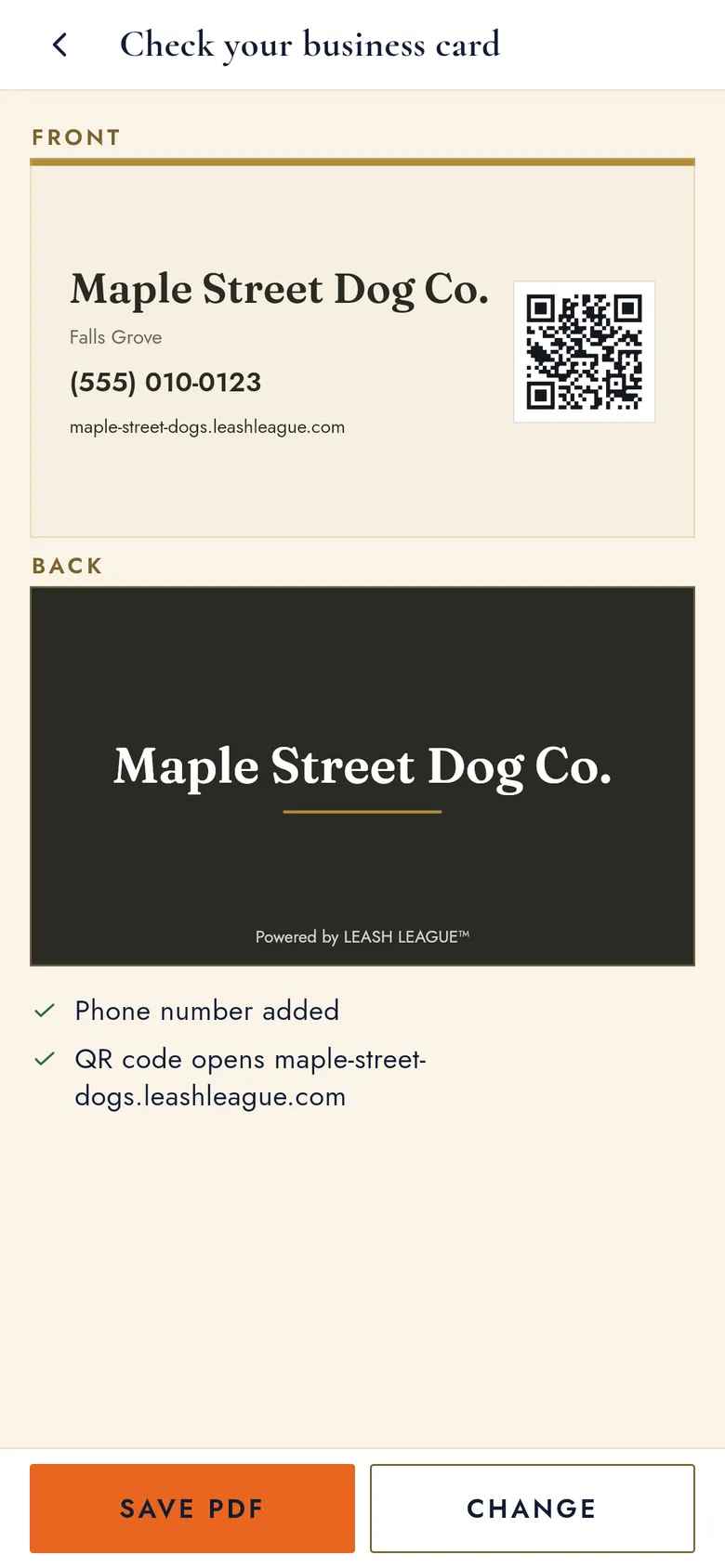
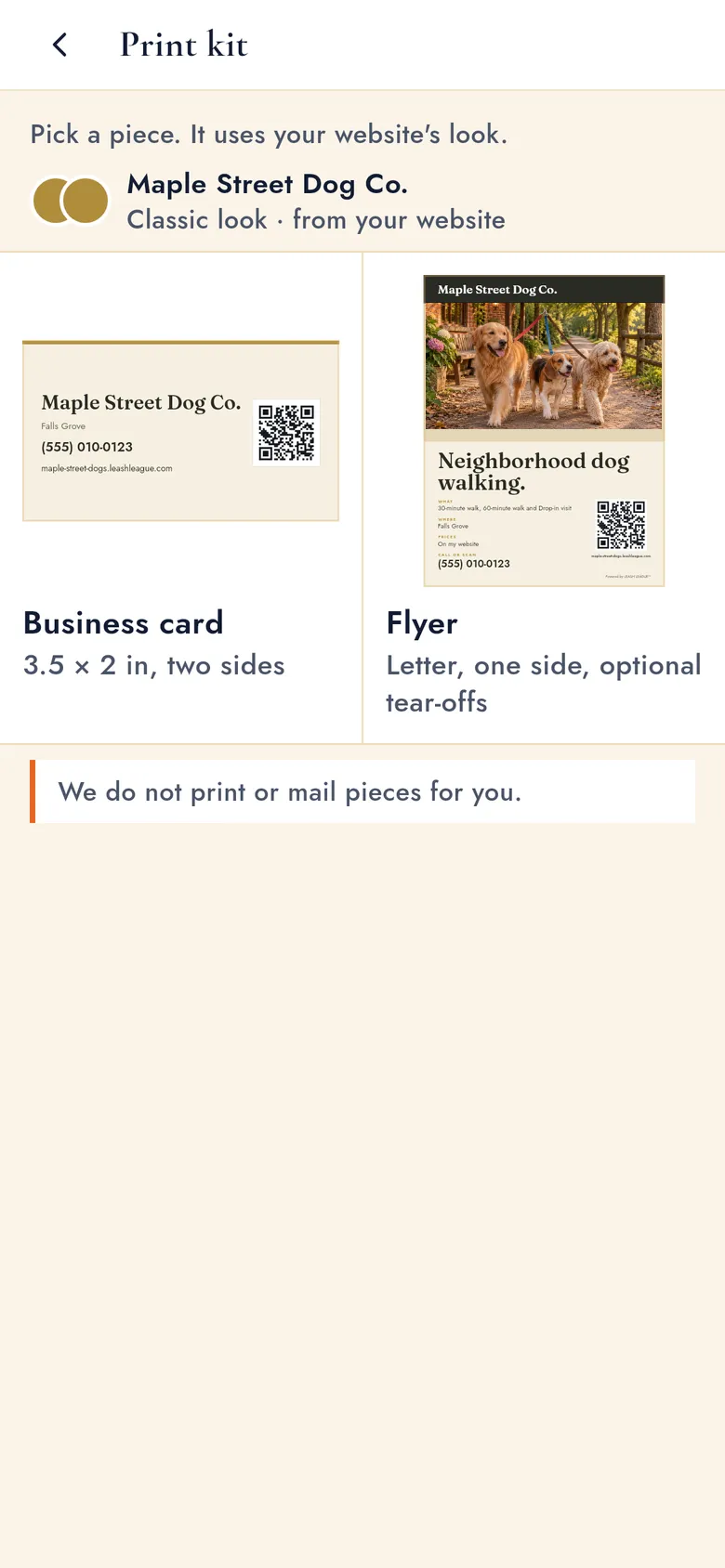
You want flyers for the new street. The print kit makes a flyer and a business card in your website’s look. Check it, save the PDF, and print at home or at any print shop.

Print kit →
A business card in the walking business's website look
The Print kit: a business card and a flyer in the website's look

5:30PM

English Springer Spaniel curled up on a tan couch under a blue blanket.

Overnight · Overnight stays

A weekend stay, booked in a minute.

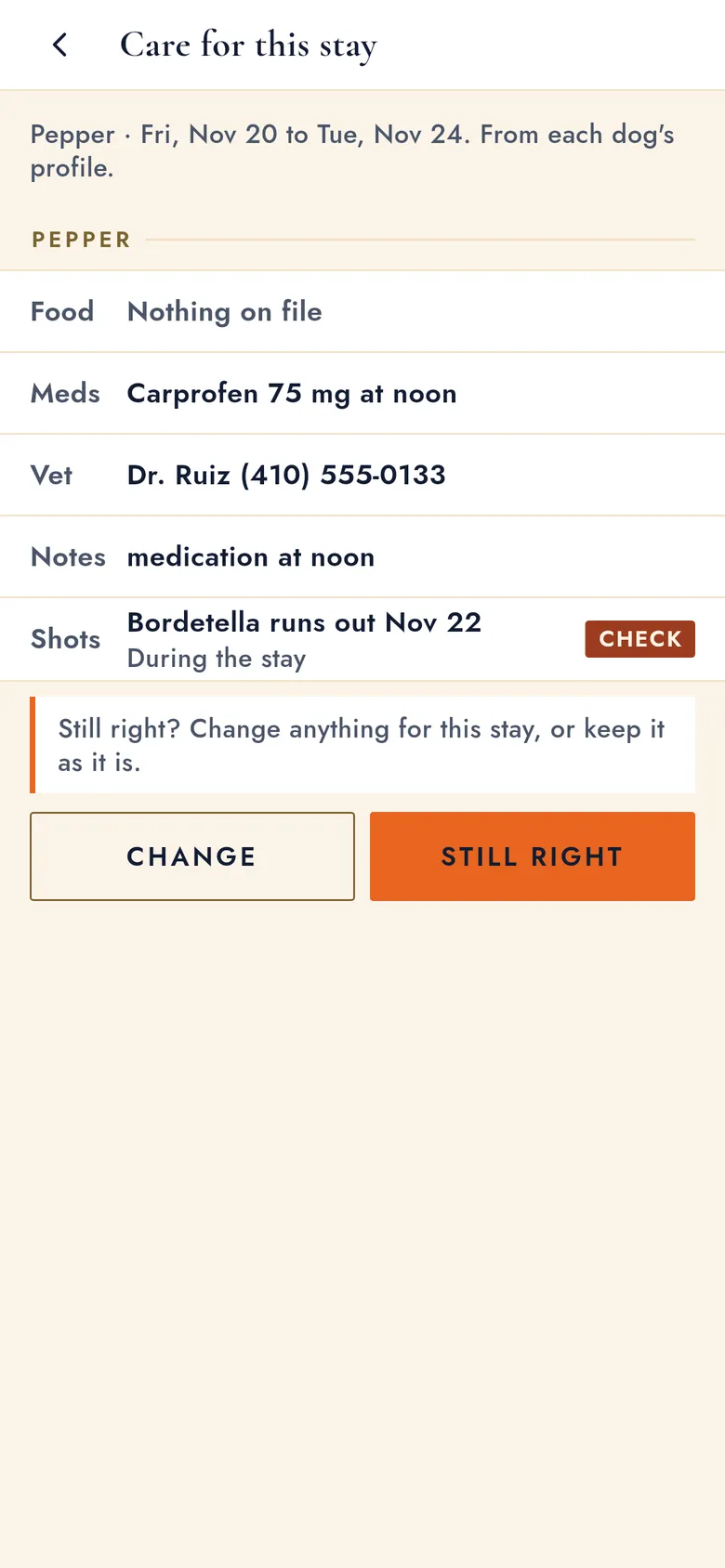
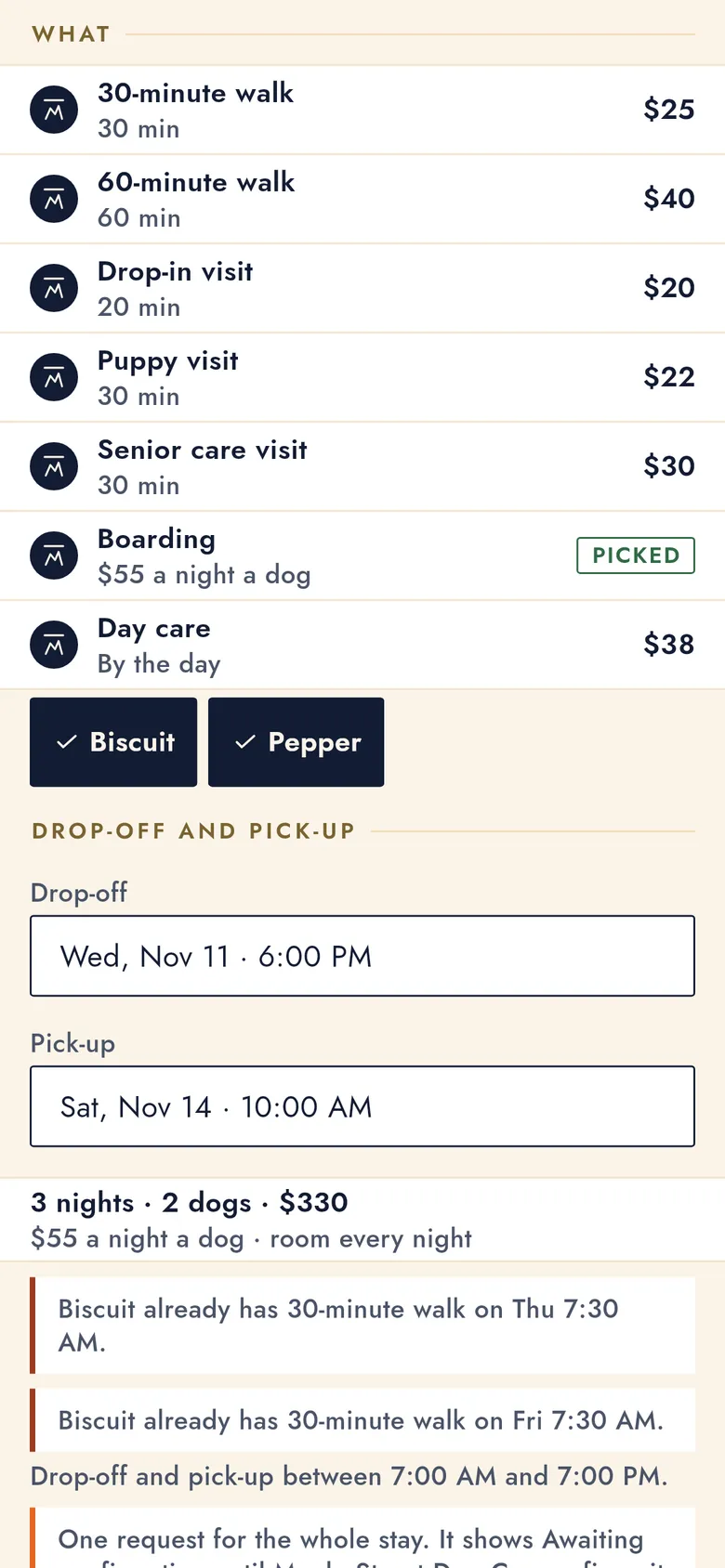
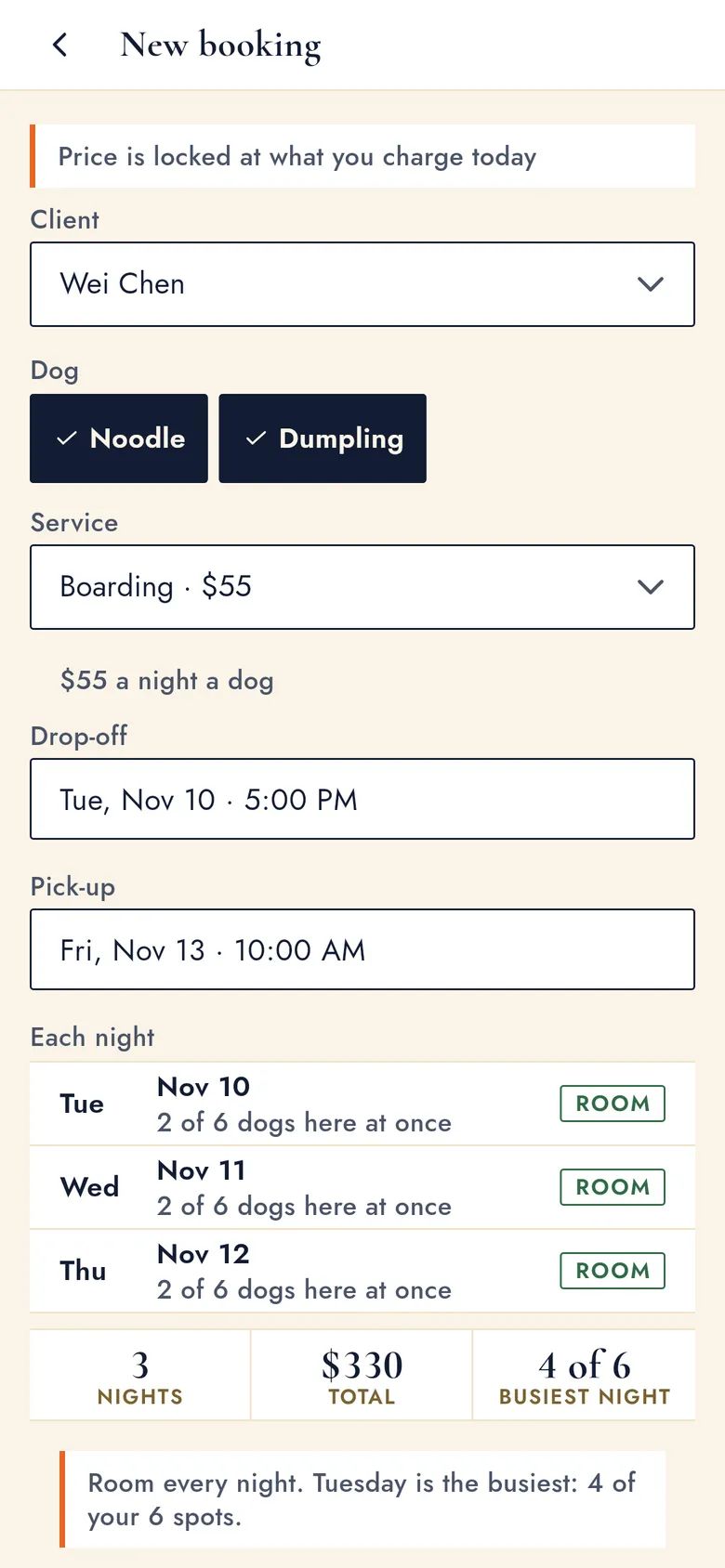
Ana asks for Biscuit to stay Friday to Sunday. Her app shows the nights, the dogs and the price, and she adds his food, his medicine and the vet. You see each night on your schedule and tap yes.

Meanwhile, AnaAna adds Biscuit’s care notes for the stay.
The care notes for a dog's overnight stay
The client choosing dates for an overnight stay
An overnight stay on the owner's booking screen

6:00PM

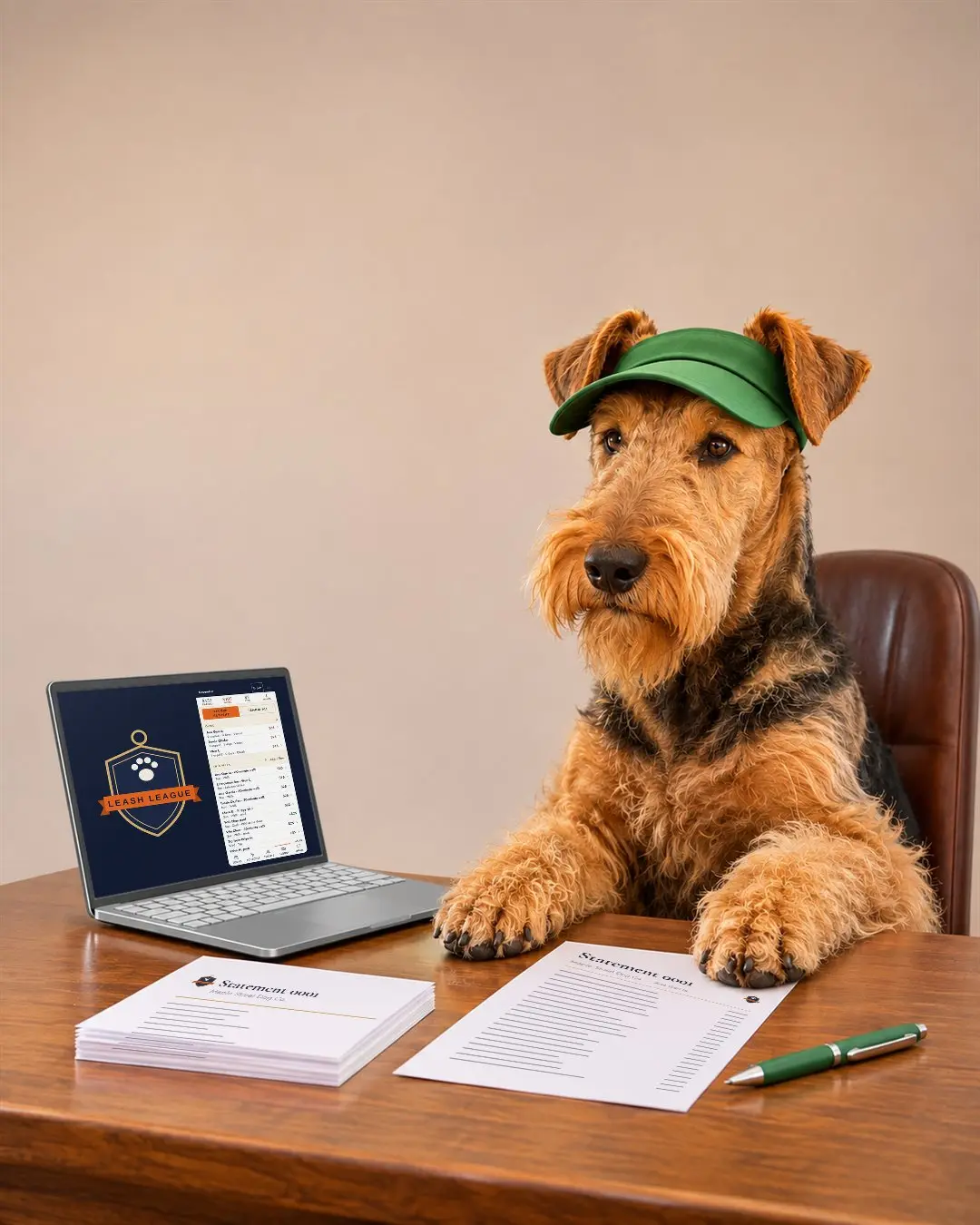
Airedale Terrier in a green visor at a desk with a laptop showing the Money screen and a statement.

Money · Bills and walker pay

The money, already added up.

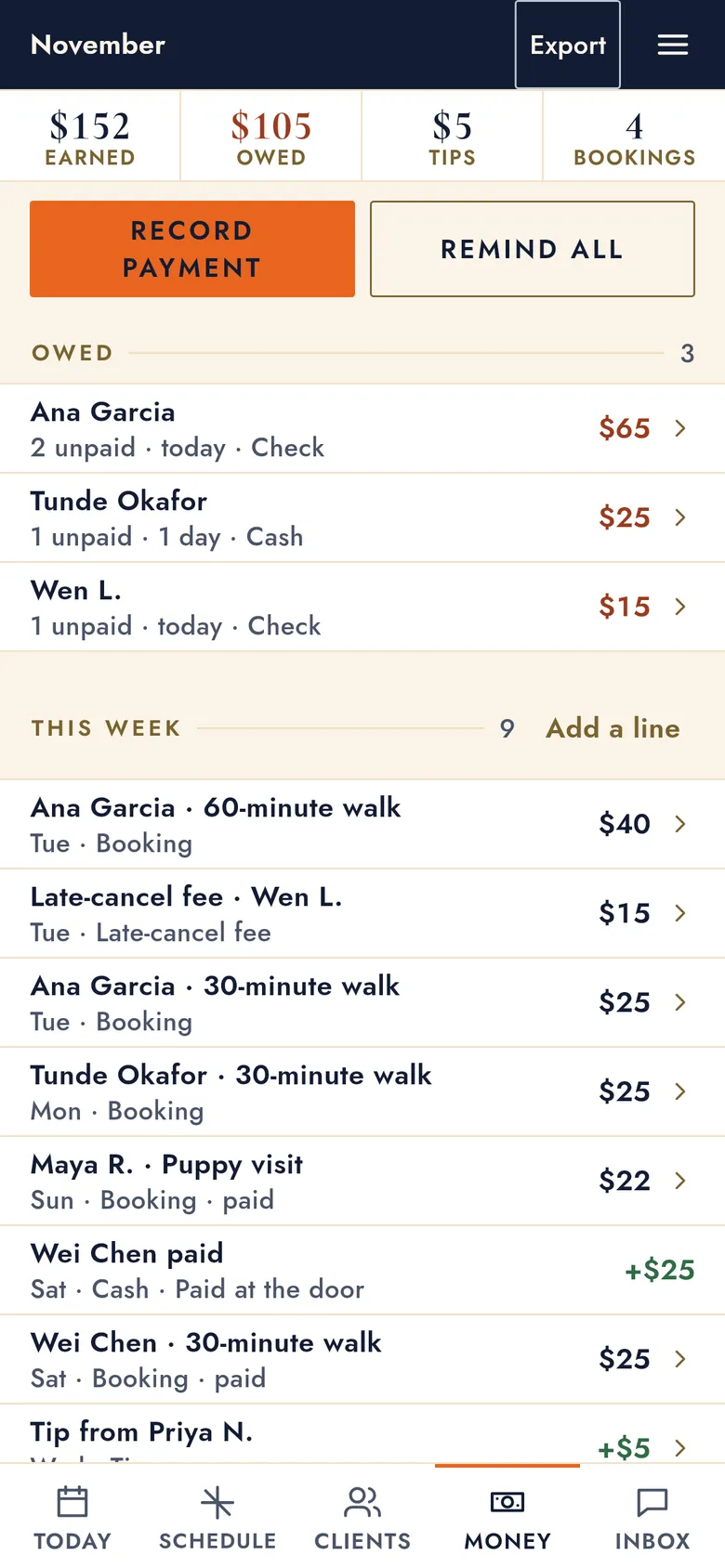
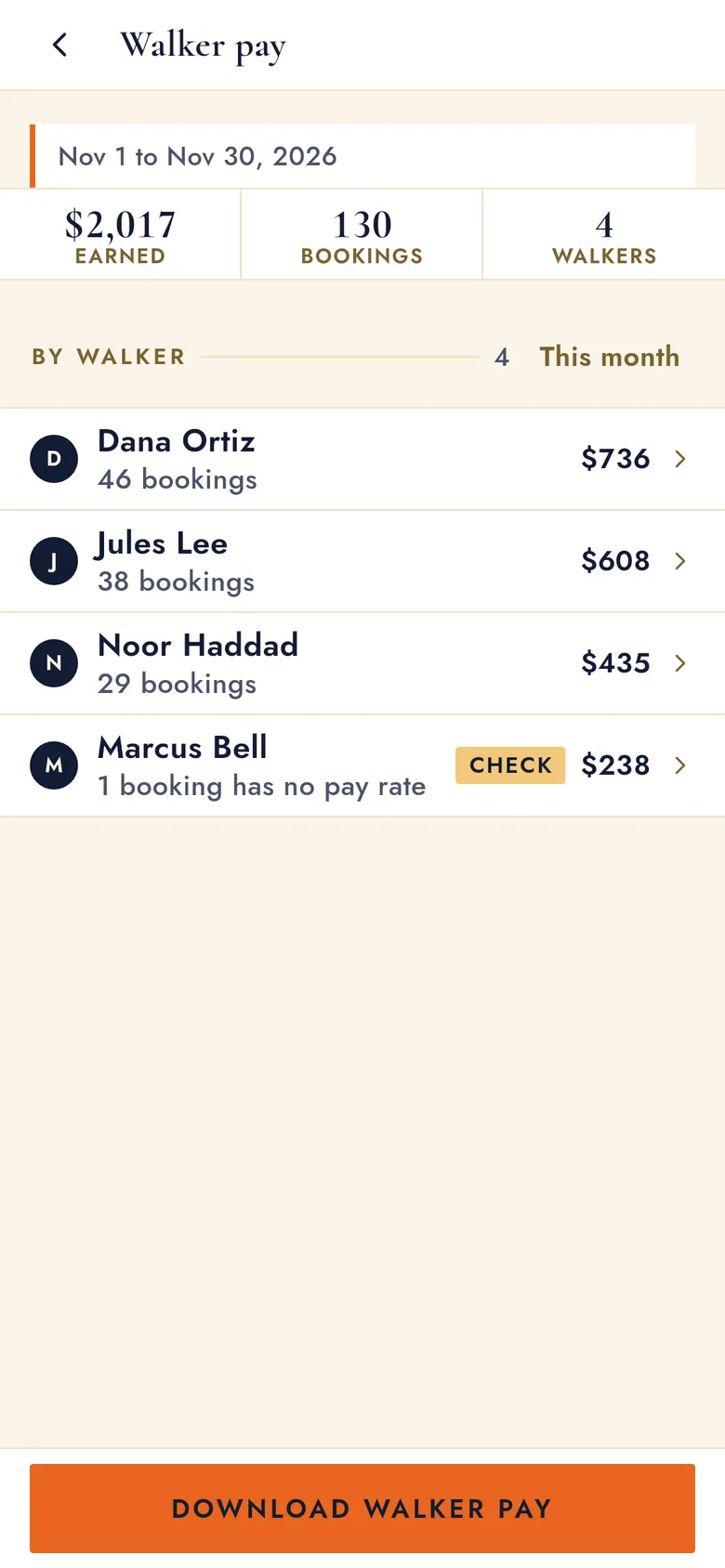
Money shows who owes what and what has been paid, without a spreadsheet. Walker pay adds up what each walker earned.

Meanwhile, AnaAna’s bill is in her app whenever she wants it.
Bills and payments →
The owner’s Money screen: earned, owed, and the week’s bookings and payments
Walker pay, added up for each walker

9:30PM

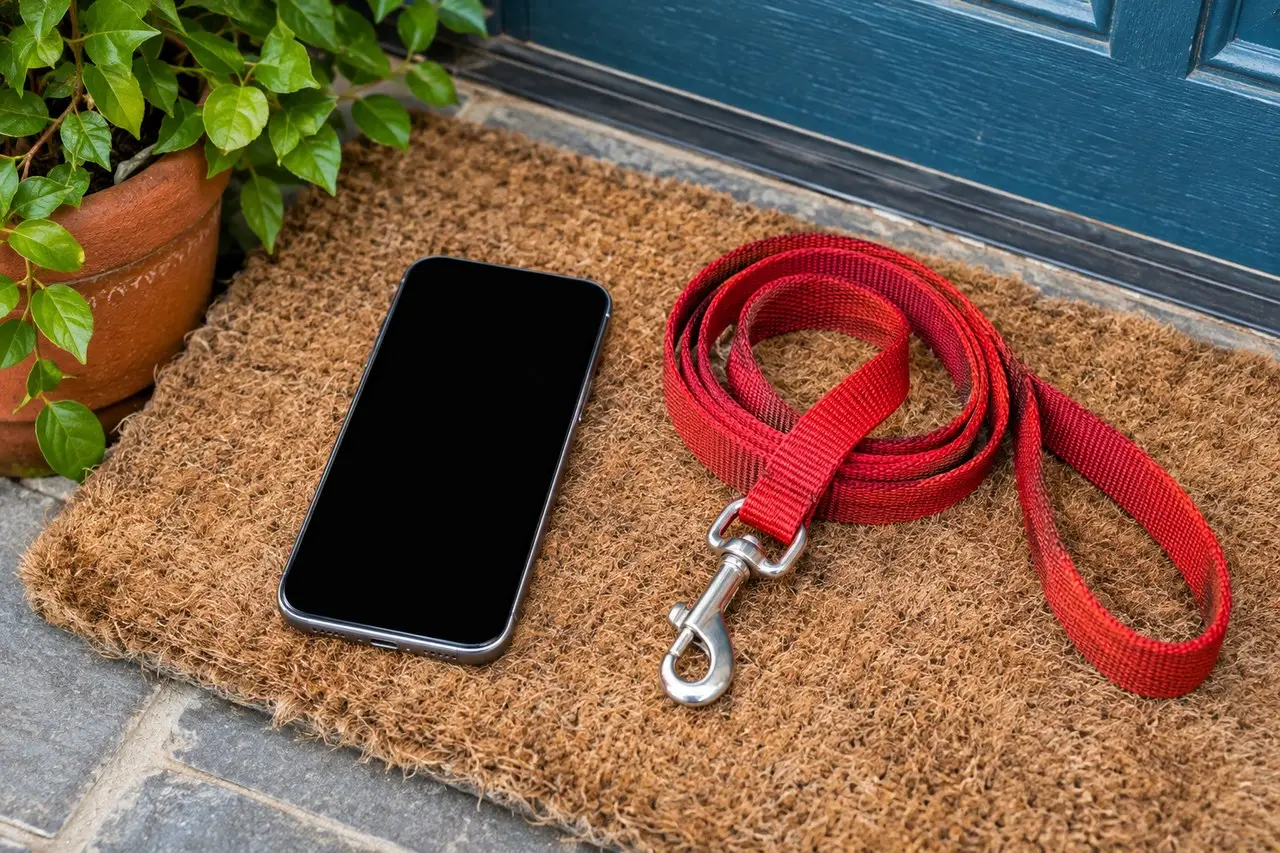
A smartphone with a dark blank screen lying on a doormat beside a coiled red leash.

Phone down · Tomorrow

Phone down.

From the morning walk to the overnight stay, tomorrow is already planned. If a client texts tonight, it will be a card waiting for you in the morning.

Meanwhile, AnaBiscuit’s report card is still on Ana’s phone.
The dog owner's Home tab with the next walk and last report card
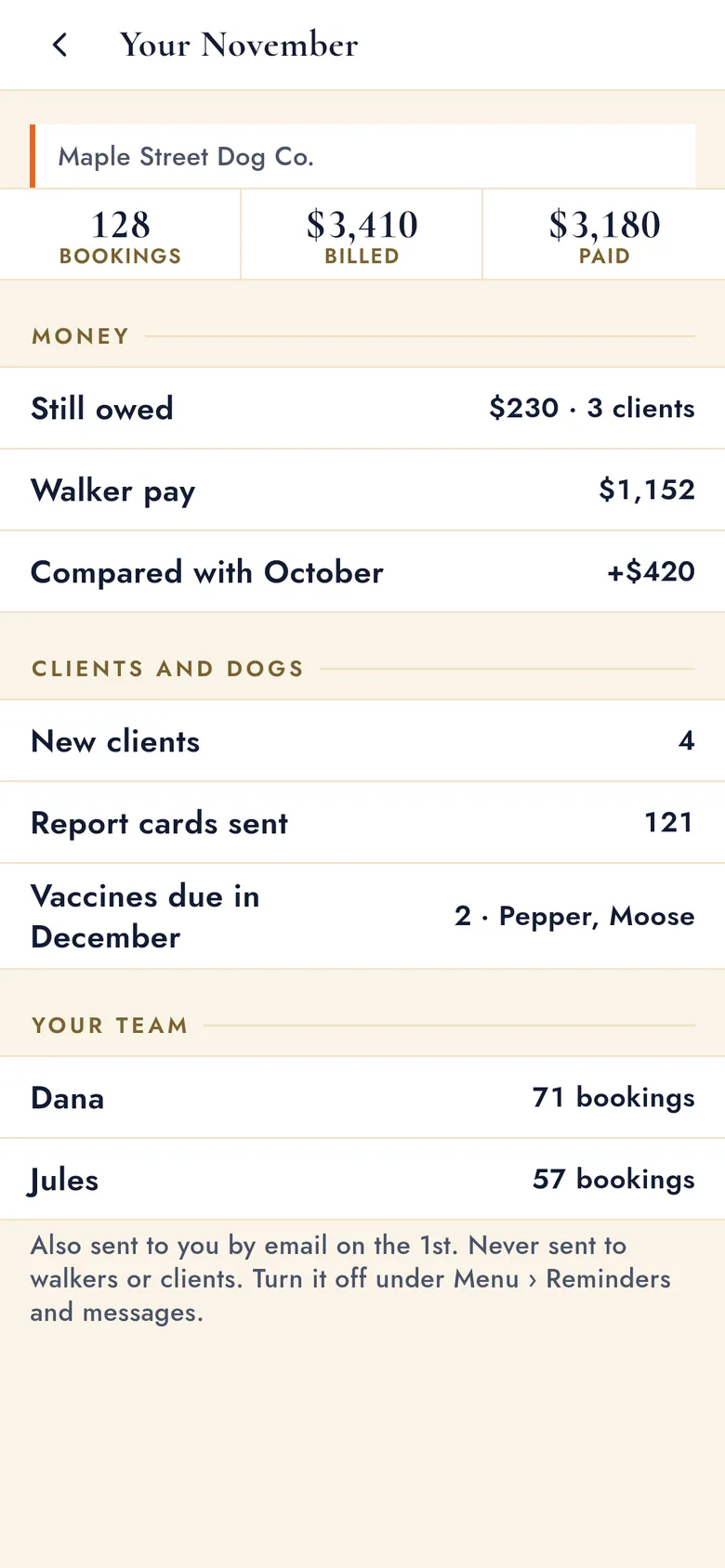
The month's bookings and money in the owner's summary

Trust

Your business. Your clients. No marketplace in the middle.

  • 01Your clients are yours.Invites go from your own email or phone, so clients hear from you.
  • 02Your name, where clients look.Their app, your booking page and your texts carry your business’s name.
  • 03Take your records with you.Export your clients, dogs, walks and money whenever you like.
  • 04Your clients’ details are protected.Only the right people see door codes, addresses and private notes.
  • 05Nothing is booked behind your back.A booking from a text waits for your tap.

Leash League makes the software. Your business and your clients stay yours.

Getting started

Set up in an evening.

Three short steps to your first real walk. You can change any of them later.

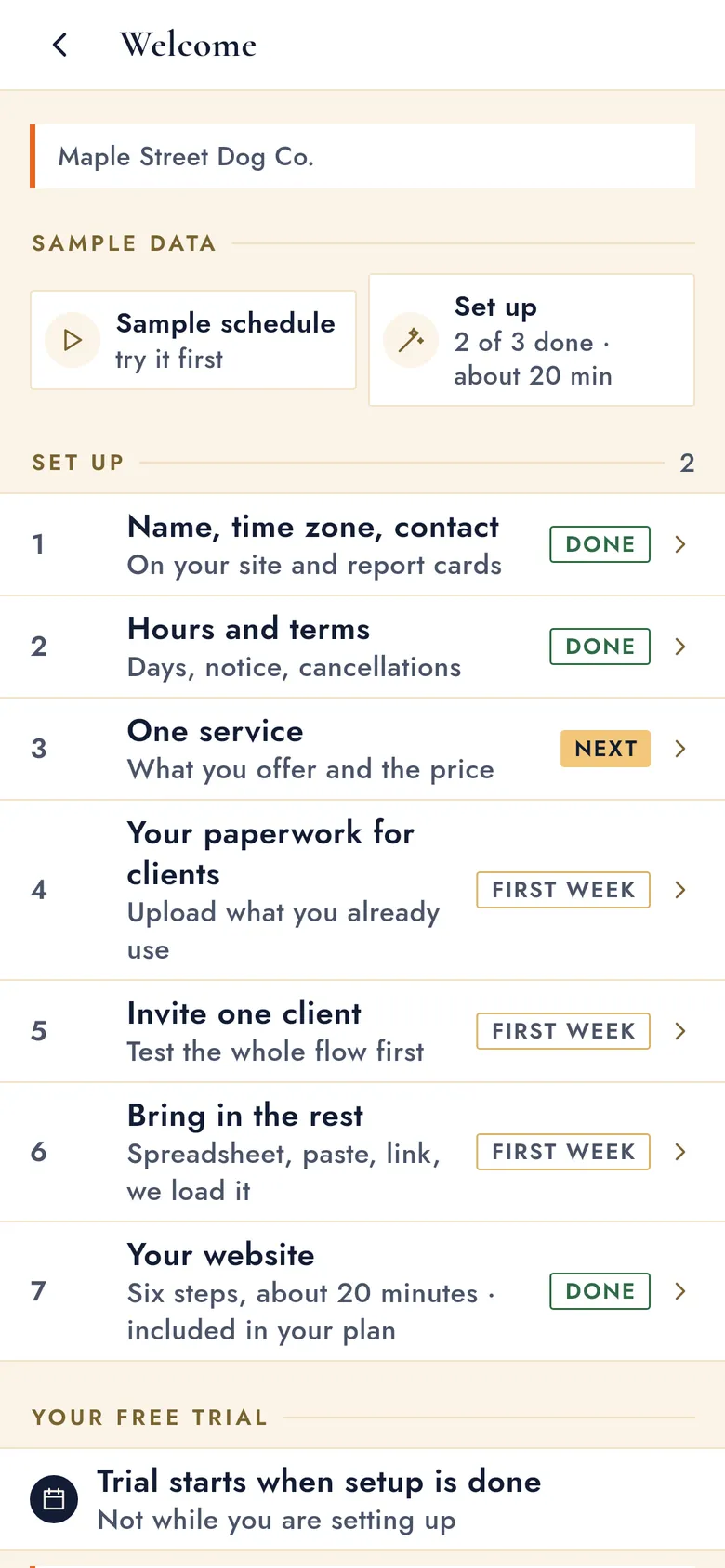
  1. The owner's business setup checklist
    1

    Name your business.

    Your name, hours and one service with its price. About 20 minutes.

  2. The owner's Today screen: what needs you, who is out now and what is next
    2

    Try it with sample clients.

    One tap adds three made-up clients and a week of walks, so you can try every screen. They never send anything or count toward money, and one tap takes them away.

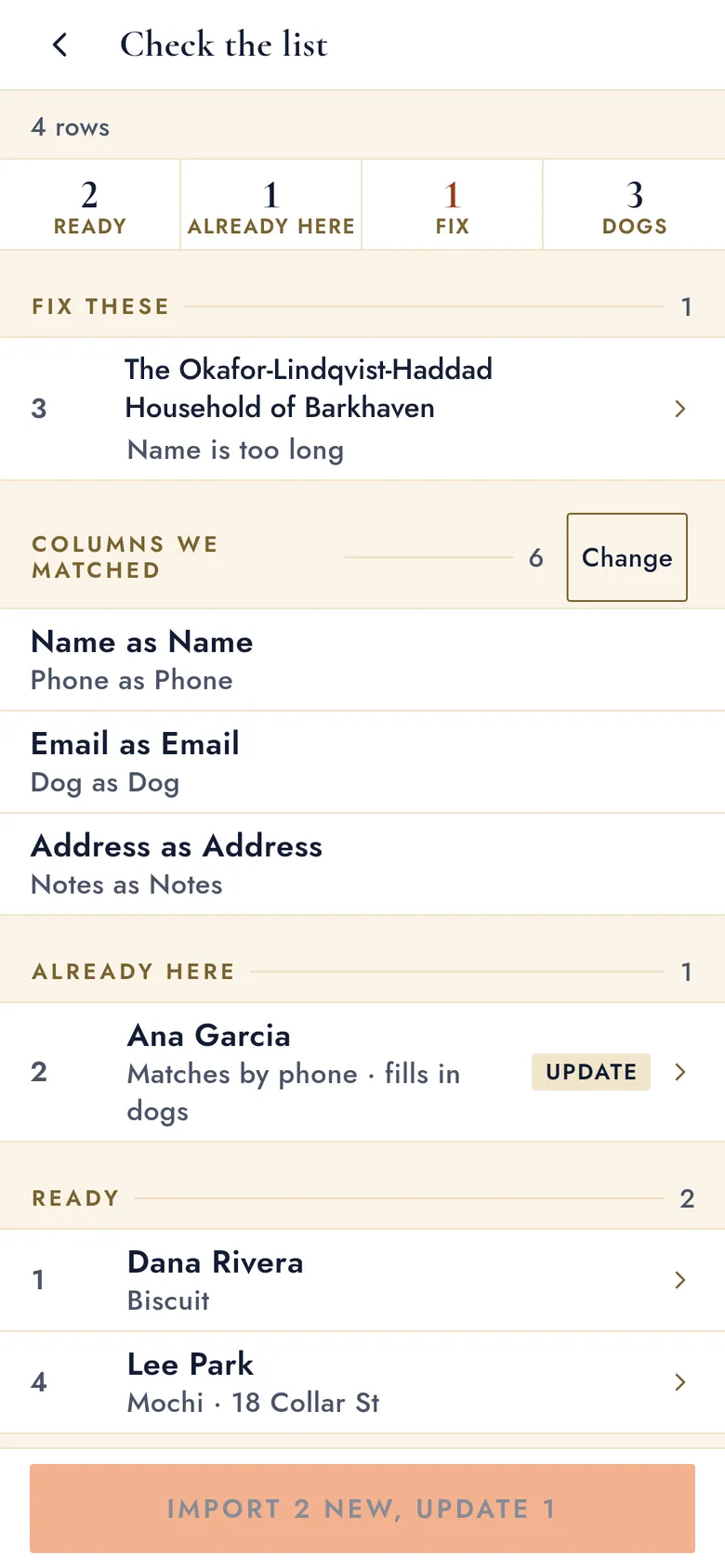
  3. Check the list, with Ready, Already here, Fix and Dogs counts at the top
    3

    Bring your clients in.

    Add them, paste a list, or bring a spreadsheet, then send each one a private invite from your own phone.

Then your website and your walkers, whenever you’re ready.

Before you ask

Three quick answers.

Do my clients need to sign up?

No sign-up form. You send each client a private invite, they type a code from their email, and their dog is already there.

Can I try it first?

Yes. A sample schedule shows you how a real day looks, and one tap removes it when you are ready for your own.

What if I’m moving from another app?

Bring a spreadsheet or paste a list. The app checks it with you before anything is added, and you can undo an import within 30 days.

Your whole business, in your pocket.

Leash League makes the software. Your business and your clients stay yours.

Every dog makes the team.