Home / Features / Switching
Get booked · Switching
Bring your clients with you. Check them once.
Coming from another app or a spreadsheet? Bring your client list, book them under your own name, and invite them when you're ready.

Three steps
How switching works.
-
 1
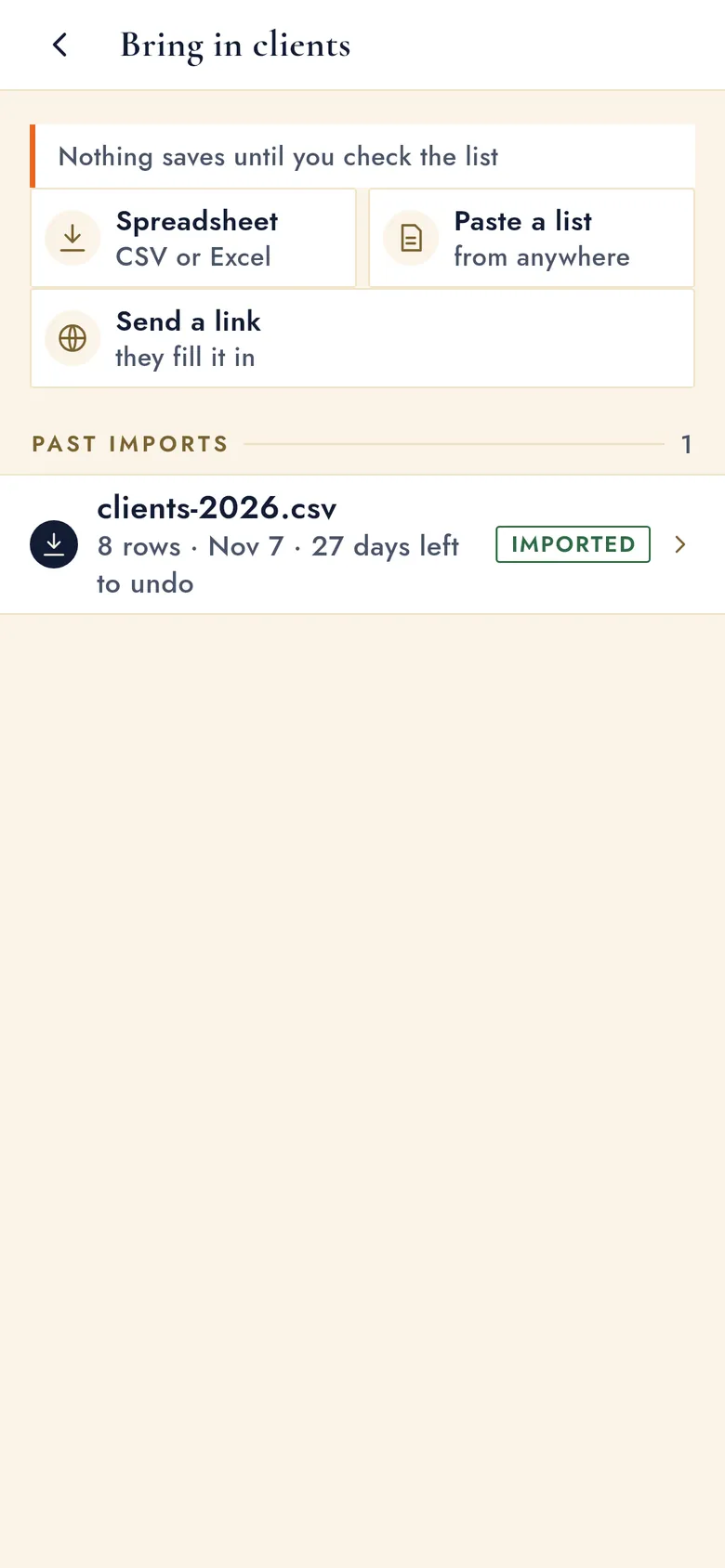
Pick a way in.
Upload a spreadsheet, paste a list from anywhere, or send your clients one link so they fill in their own details and dogs.
-
 2
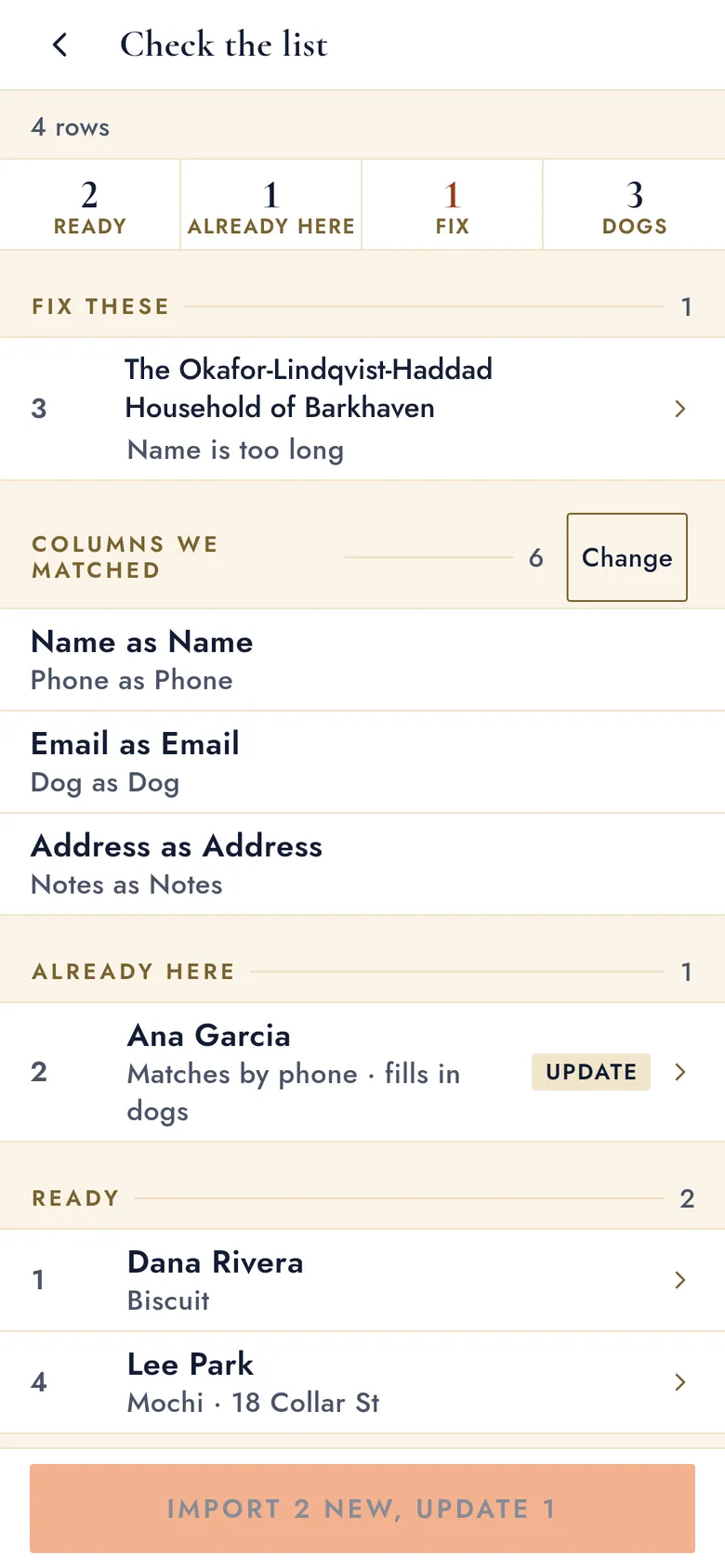
Check the list once.
Four counts at the top: Ready, Already here, Fix and Dogs. Fix a row in place or skip it. Someone you already have is matched by phone or email, and a match only fills in what's empty. It never overwrites.
-
 3
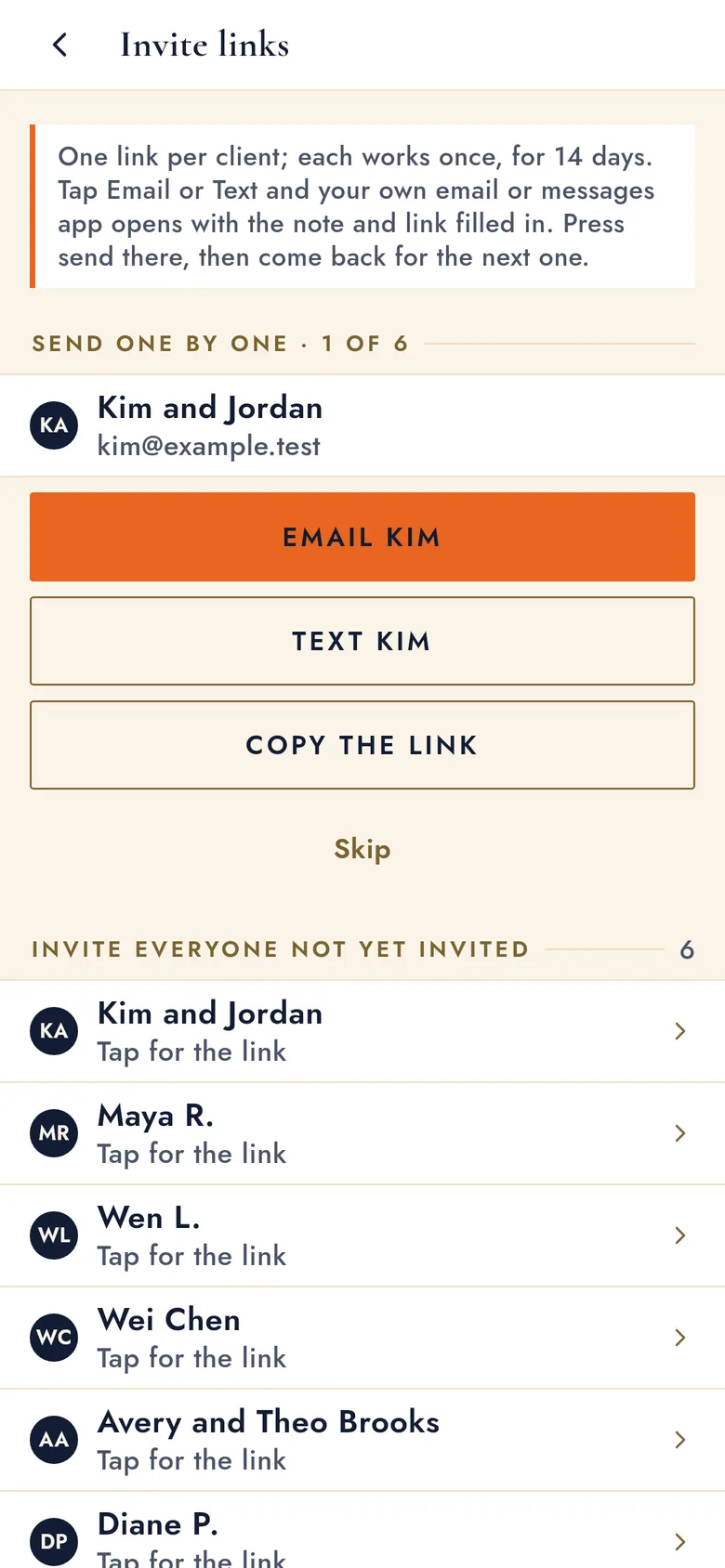
Invite your clients.
Once they are on your list, Invite all makes one link per client who hasn't been invited yet. Send each link, and your clients sign in to your business.
If it doesn’t go to plan
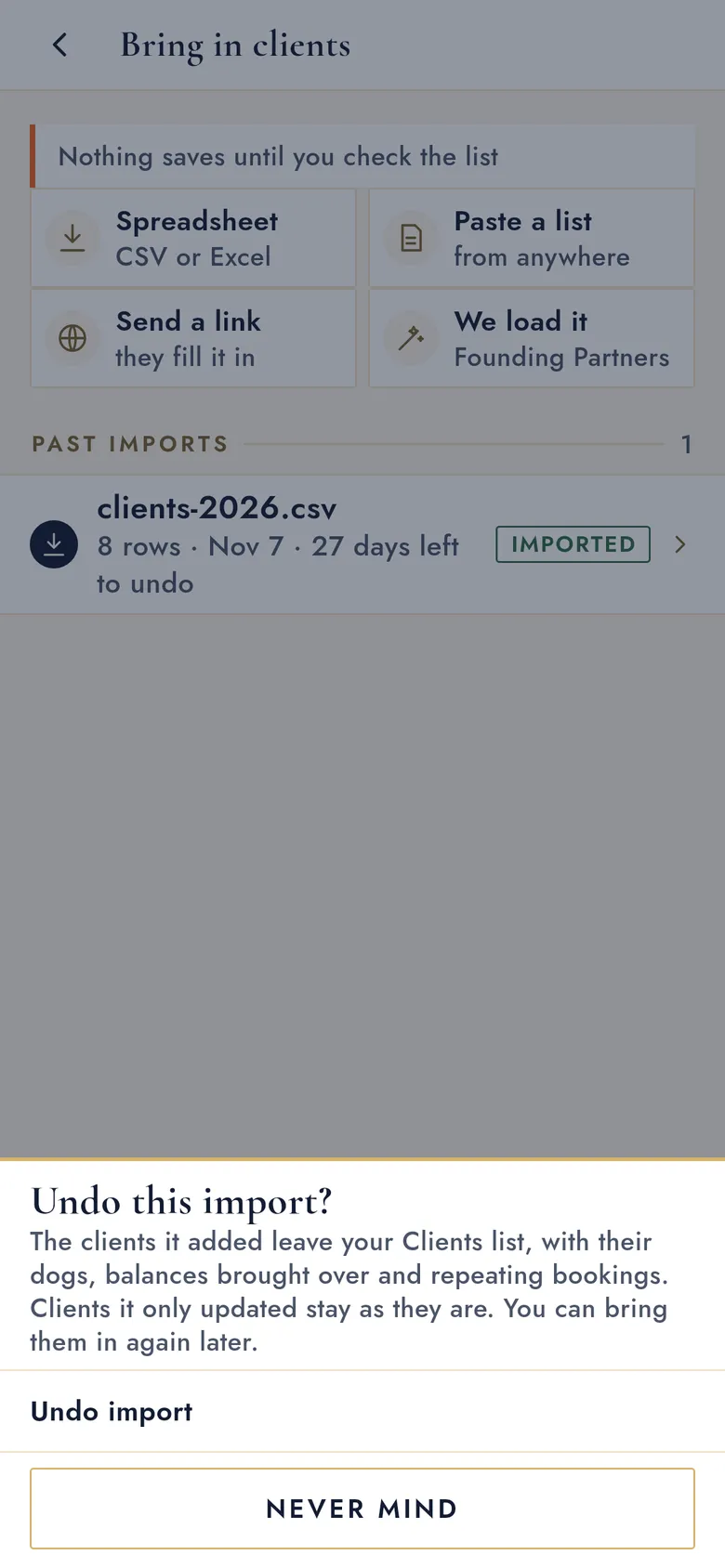
Changed your mind? Undo it.
Any import can be undone for 30 days. The clients it added leave your list, along with their dogs, the balances it brought over and the repeating walks. Fix the file and bring it in again.
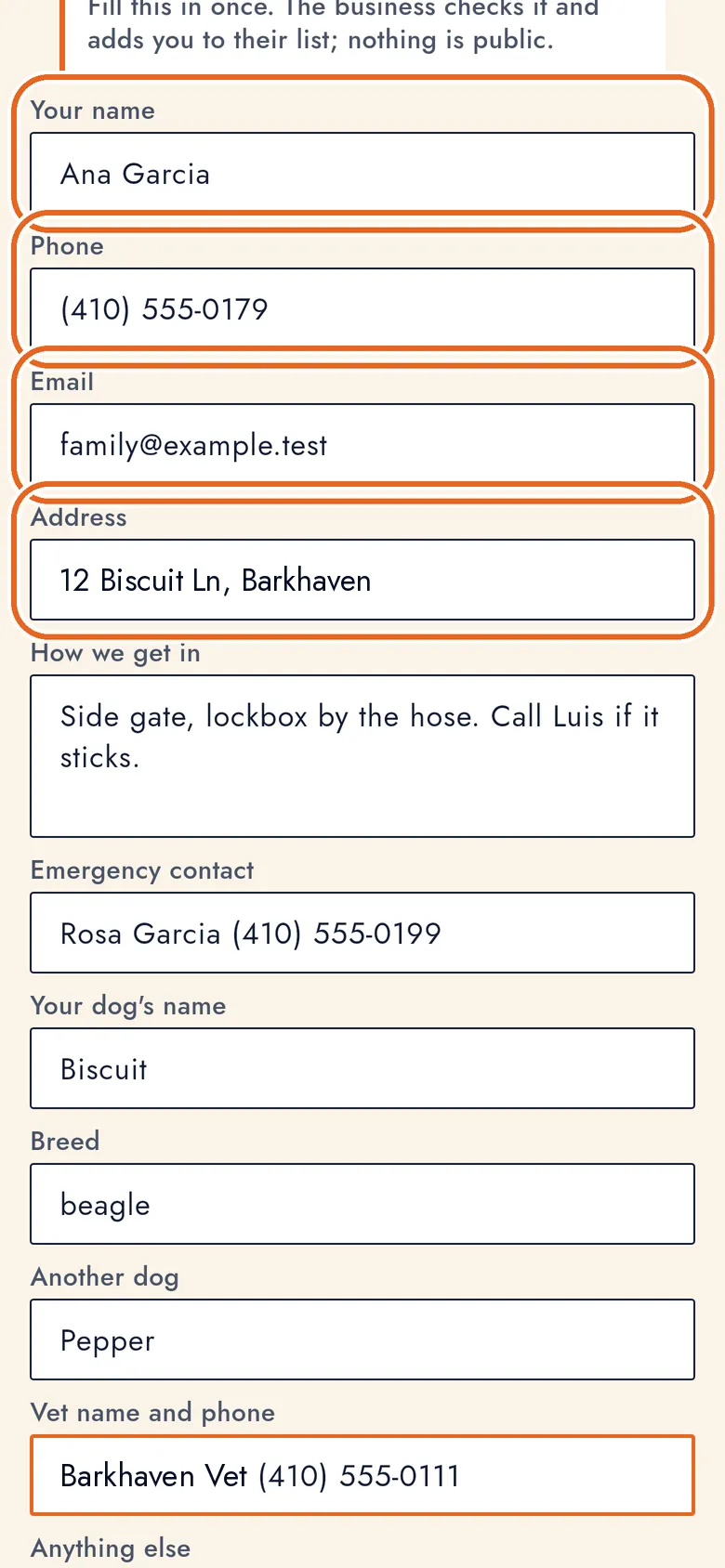
No export? Send a link.
If your old tool doesn't let you download your list, send one link or show a QR code. Each client fills in their name, phone, email, address, how you get in, an emergency contact and their dogs. Their answers wait for your check.
Straight answers
What comes over, and what doesn't.
| Your information | Comes over? |
|---|---|
| Clients: name, phone, email, address, notes | Yes |
| Their dogs | Yes |
| What each client owes you today | Yes, as an opening balance (owner or manager) |
| Repeating walks, from "Walk days" and "Walk time" columns | Yes |
| Vaccine dates | Yes, marked unchecked until you check them |
| Client and dog photos | Not yet. Add them in the app. |
| Past walks and old invoices | No. Only today's balance comes over. Keep your old records for your files. |
| Saved payment cards | No. |
Nothing is sent to any client until you invite them, one private link each.
Under a minute
Watch a whole list come in.
A made-up list, the real screens. Captions are on; the steps are also written out above.
Need a hand?
Write to us.
Most owners do it on their own. If your list is messy or something won't come in, email us and we'll help you get it in.
Keep going